Thank you for your interest in Gig Performer Essentials.
Please enter your name and email address in the field below. Links for both Windows and macOS downloads will be sent to you.
By providing your email address, you will be subscribed to our newsletter from which you will be able to unsubscribe at any time. Make sure you use a valid e-mail address and if you don't receive our e-mail, please check your spam folder.
Dialog window
Gig Performer® 14-Day Free Trial
Thank you for your interest in Gig Performer.
Please enter your name and email address in the field below. Links for both Windows and macOS downloads will be sent to you.
By providing your email address, you will be subscribed to our newsletter from which you will be able to unsubscribe at any time. Make sure you use a valid e-mail address and if you don't receive our e-mail, please check your spam folder.
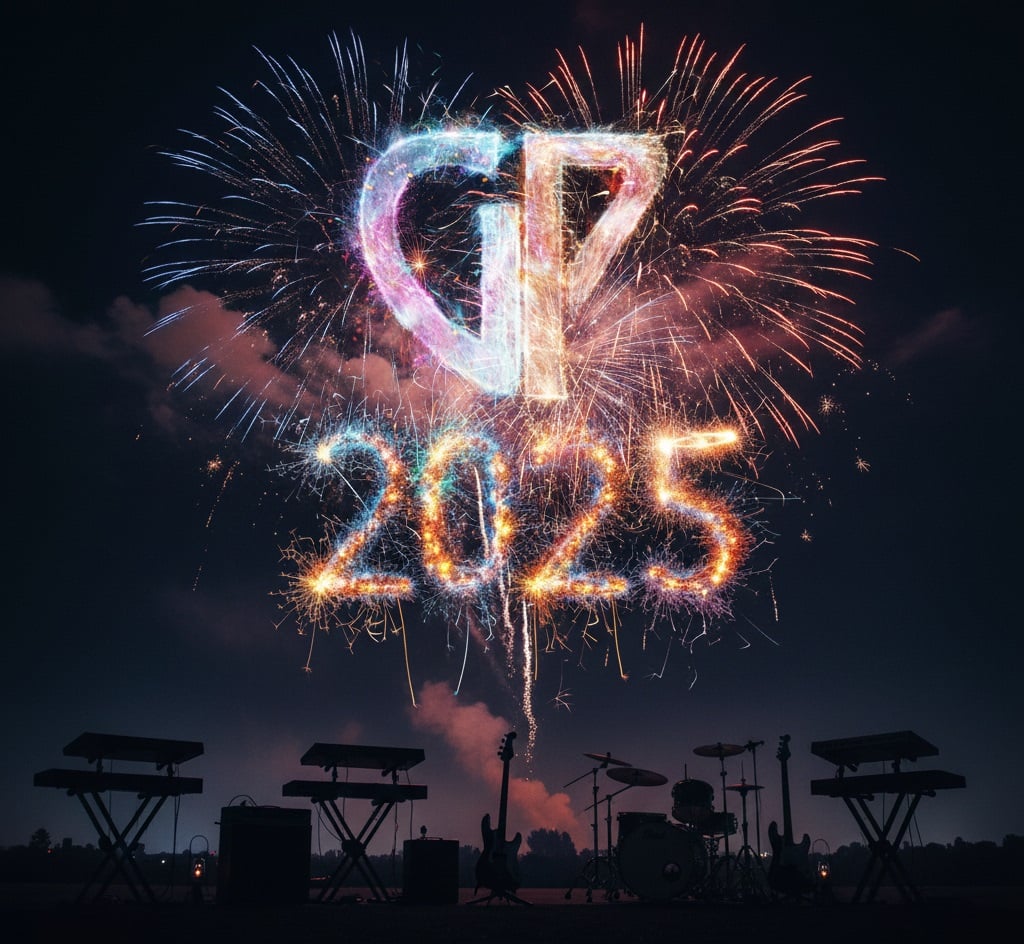
In this article, we will provide a brief overview of some of year 2025’s noteworthy content, events, activities, and helpful features.
We will break down this article into the following sections:
1. Updates in the Gig Performer Universe
2. New Content
3. Community Contributions
4. Other Notable Activities and Content
. .
1. Updates in the Gig Performer Universe
. In 2025, the never-ending Gig Performer journey continued to evolve in exciting ways.
First, in February, 2025, we released a new update, Gig Performer v5.0.40. This update introduced new improvements and fixes designed to enhance your experience, reflecting our ongoing commitment to improving Gig Performer through user feedback and rigorous testing.
Next, only a few months later, in April, 2025 we released version 5.1.1. This version introduced new automation capabilities, performance improvements, and workflow upgrades. .
Gig Performer Essentials
.
In July, 2025 we released Gig Performer Essentials. This is a streamlined, budget-friendly version of Gig Performer designed for musicians who don’t need some of the more advanced features of the full Gig Performer product, now known as Gig Performer Pro. Gig Performer Essentials offers the same ultra-stable plugin hosting environment and intuitive visual workflow you’ve come to expect, but in a more focused package that’s perfect for those new to live performance software or looking for a simpler setup.
To get a closer look at Gig Performer Essentials, check out the quick video tour below.
This version included a new plugin, SynthMaster Player with 1,000 ready-to-use preset sounds. To learn more, check out this special episode of Backstage with Gig Performer featuring Gig Performer Essentials. Make sure to also check our dedicated blog article covering the features of Gig Performer Essentials and addresses frequently asked questions about this version. .
Gig Performer Pro
.
In August, 2025 we released Gig Performer Proversion 5.1.4. This update introduces the new name Gig Performer Pro, to distinguish it from the previously released Gig Performer Essentials. It also adds expanded touch support, phase inversion to the Gain and Balance Control plugin, and new templates. Like the Essentials version, Gig Performer Pro also came with a special version of SynthMaster Player bundled with 1,000 ready-to-use presets as well as an updated special version of Overloud TH-U.
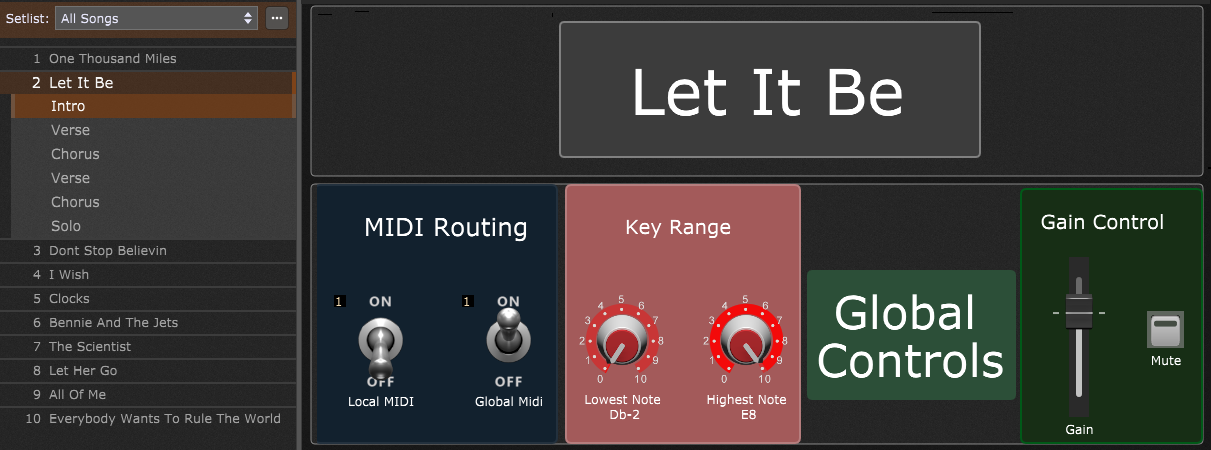
Beginners will especially appreciate several new templates along with a 10-song set list example showcasing the concepts in the Gig Performer world.
We are heading into 2026 trying to outshine our successful 2025. We have great passion for developing Gig Performer and providing you with even more exciting new features! .
Gig Performer Happenings
.
We launched a new page called “Happenings” where you can see Gig Performer in action at massive venues, major events, and inspiring real-world stages.
This page is designed to help you discover what’s possible with Gig Performer, gain inspiration from larger acts, and stay connected to the stories of professional musicians around the world using Gig Performer to Own The Stage®. Check it out here. .
New Partnerships
.
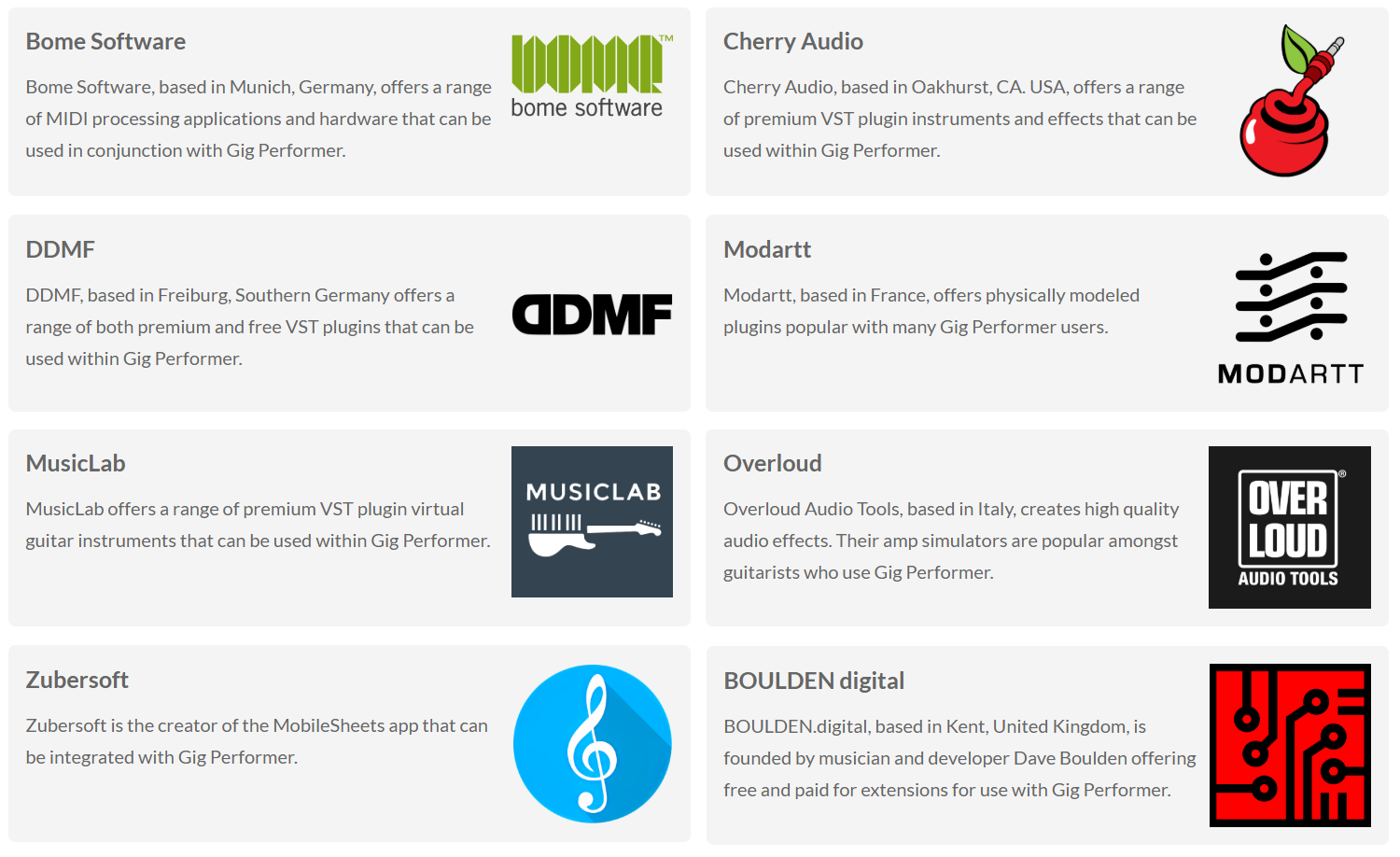
We established more new partnerships and presented them in our Partners page.
Gig Performer teamed up with top-tier plugin and software developers in the music industry to bring exclusive discounts to our license holders.
All presented solutions integrate seamlessly with Gig Performer, ensuring that you have terrific tools and stable setups for your live performance. .
2. New Content
.
Gig Performer offers a rich and growing library of content for musicians of all levels. First, we will mention Backstage with the Gig Performer show, which dives into real-world workflows, tips, and interviews. Afterward, we have a wide range of YouTube videos, Shorts and in-depth blog articles. .
The Backstage with Gig Performer Show
. We continued our popular live show, Backstage with Gig Performer, interviewing more than twenty seasoned music industry professionals who shared their best ideas, tips, and practical insights.
We hope that these interviews will inspire your live performances with fresh ideas and make your journey with Gig Performer as enjoyable as possible.
Find below the list of interviewed artists along with links to their respective episodes:
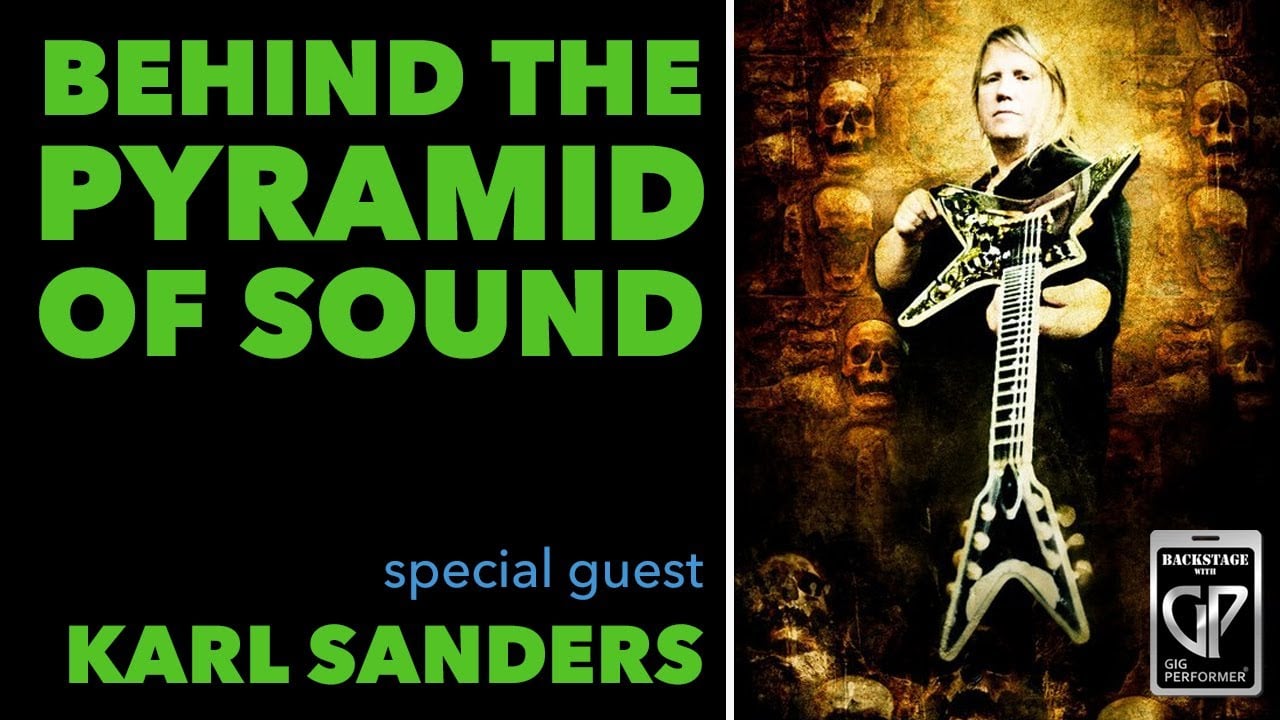
Karl Sanders – guitarist and founding member of the technical death metal band Nile. Karl shares how he uses Gig Performer on tour to manage his VST effects in real time -> LINK
Matthew Pynn – American session musician, multi-instrumentalist, writer, and producer. Matt has worked with numerous well-known artists, including Beyoncé, Miley Cyrus, and Kelly Clarkson. In this episode, he discusses how he uses Gig Performer in his live performances and why it has become a key component of his setup. -> LINK
Kwame Yeboah – multi-instrumentalist, producer, keyboardist, and musical director for Craig David, Cat Stevens, and many more. Kwame walks us through how he uses Gig Performer in his live performances. -> LINK
Bob Luna – veteran musician who has worked with artists like Paul McCartney, Paul Simon, and Dionne Warwick. Bob talks about how Gig Performer allows him to create best sounds for his live performances -> LINK
Jeffrey Abbott (Keytar Jeff) – recognized as a master of the keytar by KEYBOARD magazine, Jeff shares his insights on using Gig Performer for live performance and share a special promotion with our partners at MusicLab -> LINK
Tim Starace – shares how he uses Gig Performer to power his Rush tribute band YYNOT. Tim explains how he recreates Geddy Lee’s iconic synth-driven sound -> LINK
Jacob Karlzon – master of improvisation and sound design. Jacob shares how his “music-first approach” to integrating music technology into his live performances enables him to stay connected to the music while accessing expression not possible on piano alone -> LINK
Francis Capistrano (Narf Sounds) – shares his journey and how he builds sounds with Gig Performer in a fraction of the time it takes him to build them on his hardware -> LINK
Paul Gere – moderator of the Keyboard Players in Cover Bands Facebook Group. Paul shares his experience transitioning from hardware to a hybrid rig using Gig Performer and his Yamaha MODX -> LINK
Chris Ault – walks us through his process, why he chose Gig Performer, and how he controls everything with a compact footprint. Chris built a reliable setup with a mini-PC and custom-modified Behringer pedal -> LINK
Borahm Lee – keyboardist known for his work with Break Science and Pretty Lights. Borahm shows how he uses Gig Performer to blend synths, effects, and live performance into a powerful live performance environment. -> LINK
Marty Wade – a friend of Gig Performer who created a fantastic beginner’s guide to Gig Performer on YouTube. Marty demonstrates the fundamental building blocks every new Gig Performer user needs to build a setup that is powerful, fun, and easy to use. -> LINK
Eddie Meulmeester – keyboardist for the band La Lune Noire. Eddie will walk you through his complete live workflow in Gig Performer. You will learn about how he builds rackspaces, organizes setlists, and triggers song changes from BandHelper -> LINK
Álvaro Herrero – guitarist for the U2 tribute band, Vértigo. Álvaro shares how he built his rig for emulating amp heads, running backing tracks and click tracks, mixing in-ear monitors, and playing synced videos -> LINK
Alexander Peter – dives into his keyboard rig journey, from starting with a traditional dual-keyboard setup to developing a hybrid rig and eventually transitioning to a fully standalone Gig Performer setup -> LINK
Russ Gilbert – walks us through his current live rig and how he uses Gig Performer to manage keyboard sounds for a public jam session. What’s especially impressive is that his rig is so intuitive so that musicians who have never used Gig Performer before can use it to select and play sounds in the moment -> LINK
Michael Barrett – walk us through his approach to building flexible rackspaces, mapping plugin parameters for live performance, and keeping things simple, yet powerful on stage -> LINK
Don Jackowski – the keyboardist for The McCartney Experience and The Blue Genies. Don uses Gig Performer to unify his organ, breath controller, and MIDI keyboard into a single expressive instrument -> LINK
Alex Faust – keyboardist for Acoustic Haven. Alex shares how Gig Performer has become the backbone of his acoustic band. Handling acoustic sounds, clicks, and some light tracks, Gig Performer ensures every show goes off without a hitch. -> LINK
Robert Saint John from Cherry Audio shares the vision behind Cherry Audio and demonstrate how he blends hardware and software with Gig Performer to get the best of both worlds in his live setups -> LINK
Florian Bomers – the developer behind Bome MIDI Translator Pro. He’ll showcase how it allows you to do more with MIDI, from creating simple translations to complex MIDI workflows -> LINK
Brett Pontecorvo – last but not least, in this special episode, Brett walks you through the best way to play your plugins live by hosting them inside Gig Performer -> LINK
.
YouTube videos and Shorts
.
It’s been an incredible year over on our YouTube channel, and we’re just getting started! If you haven’t joined the family yet, hit that Subscribe button now. It’s the best way to stay in the loop on every new feature rollout and tutorials that we have planned.
Here is a partial list of some videos and Shorts we released on our YouTube channel:
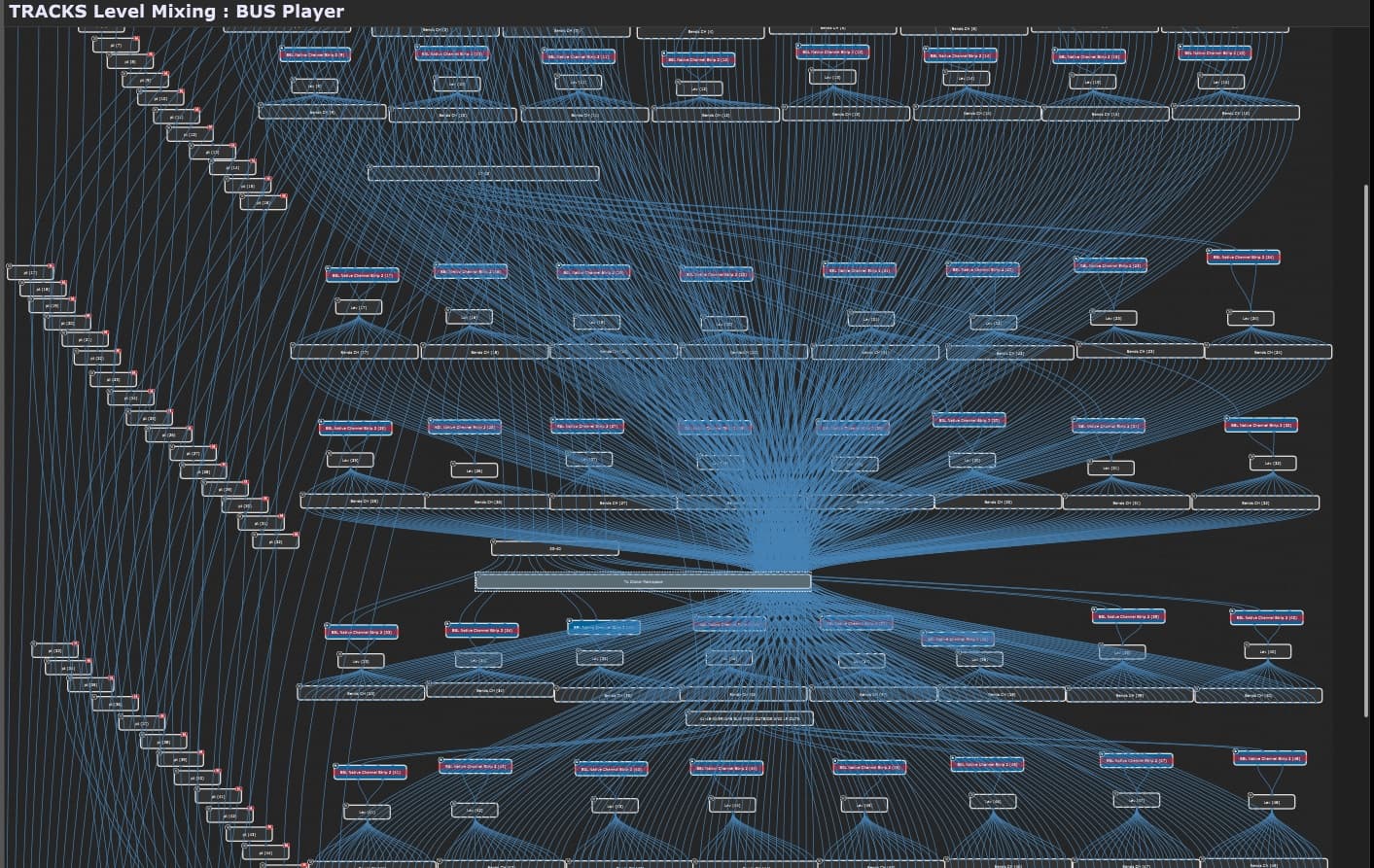
Why a graphic interface model, like Gig Performer’s Wiring view, is the simplest and most effective way to build live performance setups. Unlike traditional channel strip models, Gig Performer’s Wiring view simplifies creating, managing, and troubleshooting patches in real time -> LINK
Francis Capistrano (Narf Sounds) demonstrates how to create a lead split setup in Gig Performer, with layered left-hand chords and a right-hand lead synth. He walks through setting split points, filtering MIDI, and adding volume sliders -> LINK
How fun, intuitive, and fast Gig Performer is for building your dream rig. In under 90 seconds, we create a piano patch, layers sounds, add effects, and customizes controls -> LINK
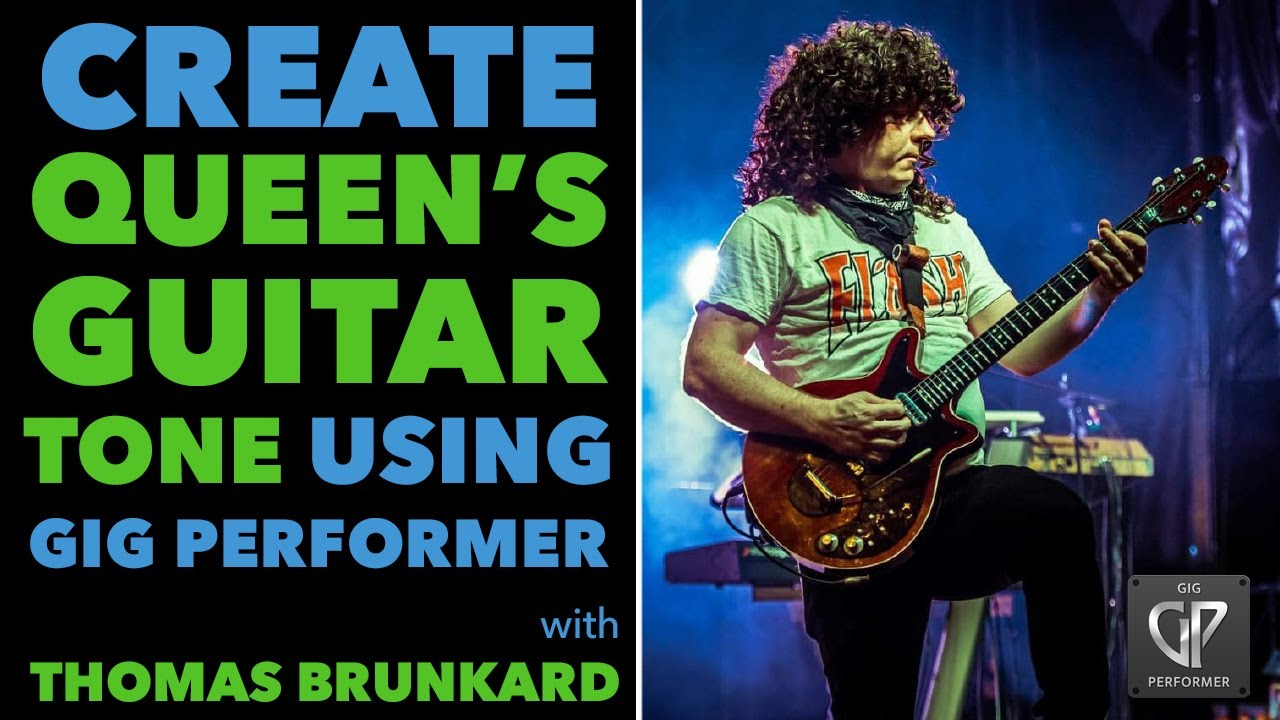
How to create a Brian May style guitar sound in Gig Performer. See how plugins are routed and how tones are shaped, and get pro-level insights you can replicate in your own rig -> LINK
Trey Gunn shares his approach to constructing effect chains and signal routing inside Gig Performer -> Short
Robert Frazza switched to Gig Performer for recording live shows, as previous programs proved unstable for real-time recording of shows -> Short
Robert Martin (Zappa Band) talks about the advantages of virtual instruments and the hardware mishaps he has witnessed over the years -> Short
Jacob Karlzon demonstrates the versatility of the Rhodes piano inside Gig Performer -> Short
Kwame Yeboah shares why he switched to Gig Performer, and the software he left behind -> Short
Eric Netherland, an inventor specializing in music technology research and development, explains why he chose Gig Performer -> Short
Matthew Pynn breaks down his tour rig and how Gig Performer with the Elgato Stream Deck extension keeps his live setup smooth and flexible on the road -> Short
Trey Gunn explains how Gig Performer’s audio routing is a game-changer for flexibility in his live rig -> Short
Co-founder David Jameson and Eddie Huerta explore the pros and cons of performing with hardware versus software -> Short
Marty Wade shows you how to set up synth layers in Gig Performer -> Short
Pro bassist Alistair Begg showcases the two main bass sounds he uses in his Dire Straits cover band -> Short
Matt Pynn breaks down his Gig Performer setup for Toad the Wet Sprocket -> Short
Cameron Winters demonstrates how to set up a guitar in Gig Performer -> Short
Creating MPE Functionality in Non-MPE Plugins using Gig Performer. Watch Eric Netherland demonstrate how he uses Gig Performer to make any plugin support MPE -> Short
Alistair Begg shares the struggle of hauling heavy gear to gigs and how things have changed -> Short
Alvaro Herrero explains why traditional channel strips make it challenging to recreate the authentic sounds of U2 -> Short
Brodie Stewart shows how one keyboard can produce piano at low velocities, and Rhodes at high velocities on the same keys -> Short
Jacob Karlzon shares how using Gig Performer feels like playing with LEGOs -> Short
Bruce Moore explains how the Setlist feature revolutionized his live performance -> Short
Florian Bomers explains virtual MIDI ports and what they can be used for -> Short
How to Create a Wah Wah Effect with Gig Performer’s Envelope Follower -> Short
Robert Martin on the excitement he feels when non-keyboardists embrace Gig Performer -> Short
See what’s included with Gig Performer 5.1 -> Short
How to tweak software synths to make them feel like hardware using Bome MIDI Translator Pro and Gig Performer -> Short
Brodie Stewart on how to trigger chords in Gig Performer -> Short
.
The Gig Performer Blog is a valuable resource packed with practical articles, tutorials, and insights focused on live performance and real-world music workflows. It covers everything from getting started tips and in-depth features to performance best practices, helping musicians get the most out of Gig Performer.
.
In addition, the Gig Performer community actively shares gig files, tips and tricks, and tutorials. We’ve also seen other community members taking somebody else’s work and continue building on it further and sharing the result. This gives other (and especially new) community members a great means to get fresh ideas. Practical examples, tutorials, and ready-to-use setups make learning, inspiration, and collaboration easy and accessible. .
Gig Performer videos on other YouTube channels
.
We’re excited to see a growing number of Gig Performer videos appearing on YouTube channels from fellow music makers. These videos are not affiliated with Deskew Technologies — we simply enjoy discovering and sharing them as we come across them online.
We’ll mention these videos:
A fantastic Beginner’s guide to using Gig Performer on YouTube. There are currently 4 videos in the playlist. The guide takes you from the very basics of choosing and setting up your hardware all the way through building patches complete with splits and layers. We highly recommend checking out his guide -> YouTube Playlist
Bob Luna demonstrates how he used Gig Performer to recreate the iconic sounds of Toto‘s 1980s classic, Rosanna -> LINK
Thomas Brunkard, guitarist in Qween, Europe’s leading Queen tribute band, demonstrates how he uses Gig Performer to manage his live rig and create Brian May–inspired sounds -> LINK
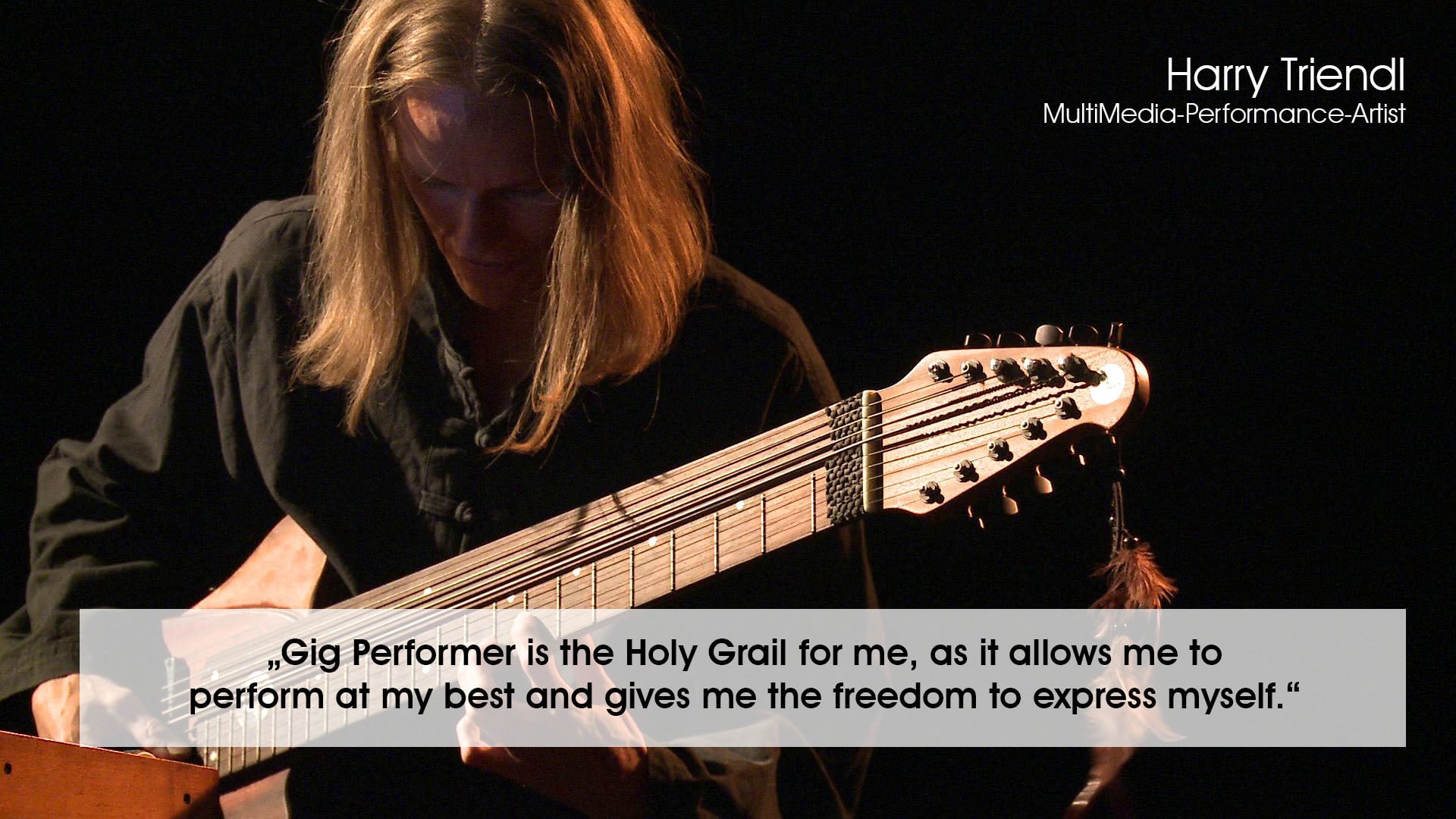
Harry Triendl showcases the sounds he produces with his new Gig Performer 5 Pro setup. With Gig Performer and two MIDI keyboards, Harry crafts compelling soundscapes rich in nuance and expression -> LINK
Bruce Moore, synth-guitarist for The Fringe Benefits band, demonstrates how he uses his guitar, the Fishman TriplePlay, and Gig Performer to trigger rich layered synth sounds -> LINK
Paul Gere shows how he integrates an 18-inch display for charts and setlist navigation, along with foot pedals for hands-free control, and how it all fits together with Gig Performer -> LINK
Ian Rollins shares a detailed video showcasing all the tools he uses to power his MalletKAT setup -> LINK
Thorsten Hillmann shares how he uses BandHelper to send Program Change messages that adjust sounds both inside Gig Performer and on his hardware -> LINK
Guitarist Patrick Kimbrell shows how he uses Gig Performer’s Streaming Audio File Player and Timeline Actions to instantly switch between clean, gain, and solo sounds in his track Take Flight -> LINK
Thorsten Hillmann shares an in-depth guide on routing multiple USB audio channels from the Yamaha MODX or Montage into Gig Performer on macOS -> LINK
Daniel Capo makes upbeat game-inspired music with the MPC Key 37 and Gig Performer -> LINK
Ian Rollins showcases how to recreate legendary sounds live using Gig Performer. He walks through how he rebuilt the synth parts for “Mama” using layered patches, LFOs, and his MalletKAT—all running through Gig Performer -> LINK
Harry Triendl shares his solo performance, where everything is managed by Gig Performer, including the visuals and the light control -> LINK
Thorsten Hillmann demonstrates how easily you can assign program change numbers to specific variations, giving you quick and direct access to the sounds you need from your controller or sheet music manager -> LINK
Previously, in 2024, we compiled many YouTube videos in German and in Portuguese. Now, we’re excited to share a new collection of Gig Performer videos in Italian created by user Domenico Patella. These videos walk through key features—perfect for Italian-speaking users who want to dive deeper into Gig Performer. NB: If you don’t speak these languages, YouTube does a great job translating the captions into your native language.
Bonus: Random performance videos found on YouTube featuring Gig Performer -> LINK .
Articles from our Community
. Gig Performer’s community members play a great role in helping the platform grow by generously sharing their knowledge and experience. Through user-written articles, tips, and real-world insights, they help fellow musicians learn faster, solve problems, and discover new ways to use Gig Performer effectively. We’re deeply grateful for their contributions and for the collaborative spirit that makes the Gig Performer community so strong.
Here’s a list of valuable articles from our community members.
Frank den Blaauwen shared a detailed walkthrough on running multiple instances of Gig Performer -> LINK
Domenico Patella has released a set of custom Open Stage Control templates that let you turn any touch device into a customizable control surface for Gig Performer -> LINK
Alexander Peter shares a simple workflow for moving audio between two applications on Mac when GP Relayer is not an option. He provides instructions for creating an “aggregate device”, which allows him to move audio from his playback and music learning application, Song Master, to Gig Performer -> LINK
Mark Spavin shares a unique approach to managing MIDI information from his two controllers. This workflow allows one sustain pedal to affect either keyboard, filters unwanted MIDI data at the Global rackspace level, and keeps local rackspaces tidy -> LINK
Andrew Hunt has developed a tool aptly named Spotify Playlist to Gig Performer that automatically generates a gig file from your Spotify playlist, complete with song names and metadata. For Spotify users, it’s a great time saver -> LINK
.
Gig Performer in Action stories
. The Gig Performer in Action forum brings real-world performances to life through more than two hundred indexed stories shared by artists across a wide range of instruments and musical genres. These posts showcase users’ setups—computers, MIDI controllers, audio interfaces—and often include memorable experiences from venues and gigs. If you’re curious about how fellow Gig Performer users build their rigs or how the software performs in live situations, these threads are an invaluable source of insight and inspiration.
Here is a list of about 30 threads created in 2025 worth checking out.
Jon Gomm – a well-known English singer-songwriter and performer. Jon employs percussive techniques on acoustic guitar, and his influences include genres such as blues, soul, rock and metal -> LINK
Karl Sanders – guitarist and founding member of the technical death metal band Nile. See Karl’s live rig from The Underworld Awaits Us All U.S. Tour Part -> LINK
Matthew Pynn – check out Matt’s rig used with Toad the Wet Sprocket, The Jayhawks, and Brent Cobb. Matt repurposed a Hammond M3 body with a custom back panel as a housing unit and built a Stream Deck right into the shell to control Gig Performer -> LINK
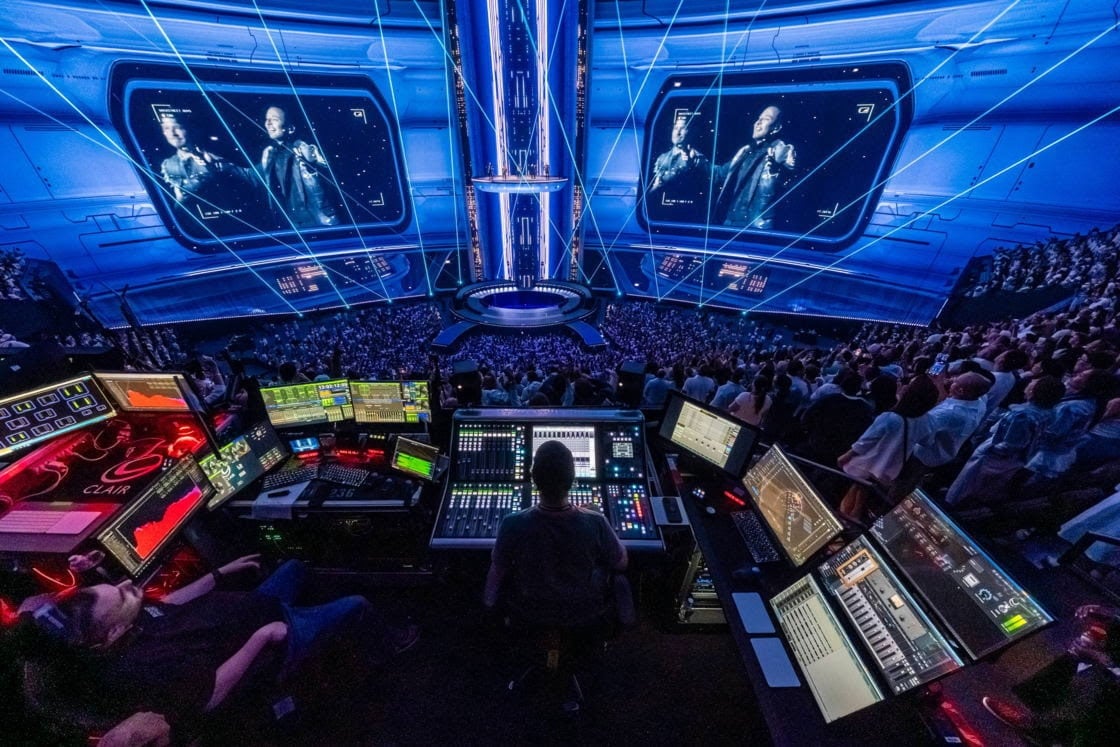
James McCullagh – FoH engineer for the Backstreet Boys. James shared how he uses Gig Performer in the Backstreet Boys’ Las Vegas residency at the Sphere -> LINK
Kwame Yeboah – keyboardist, guitarist, producer, recording engineer and multi-instrumentalist. Kwame worked with artists such as Craig David, Cat Stevens, Stevie Wonder, Omar, Shaggy, Ken Boothe, Tom Jones and many more -> LINK
Frode Berg – Frode used Gig Performer while recording a fusion trio album -> LINK
Tim Starace – bassist for the Rush tribute band YYNOT -> LINK
Paul Fix – keyboardist for The Pink Floyd Experience. The band has been recently named “Band of the Year 2025” at the Branson Show Awards -> LINK
Alex Faust – keyboardist for Acoustic Haven. Gig Performer is the central place of the band’s setup, playing backing tracks, hosting instrument and effects, and recording their performance -> LINK
Eddie Meulmeester – keyboardist for La Lune Noire -> LINK
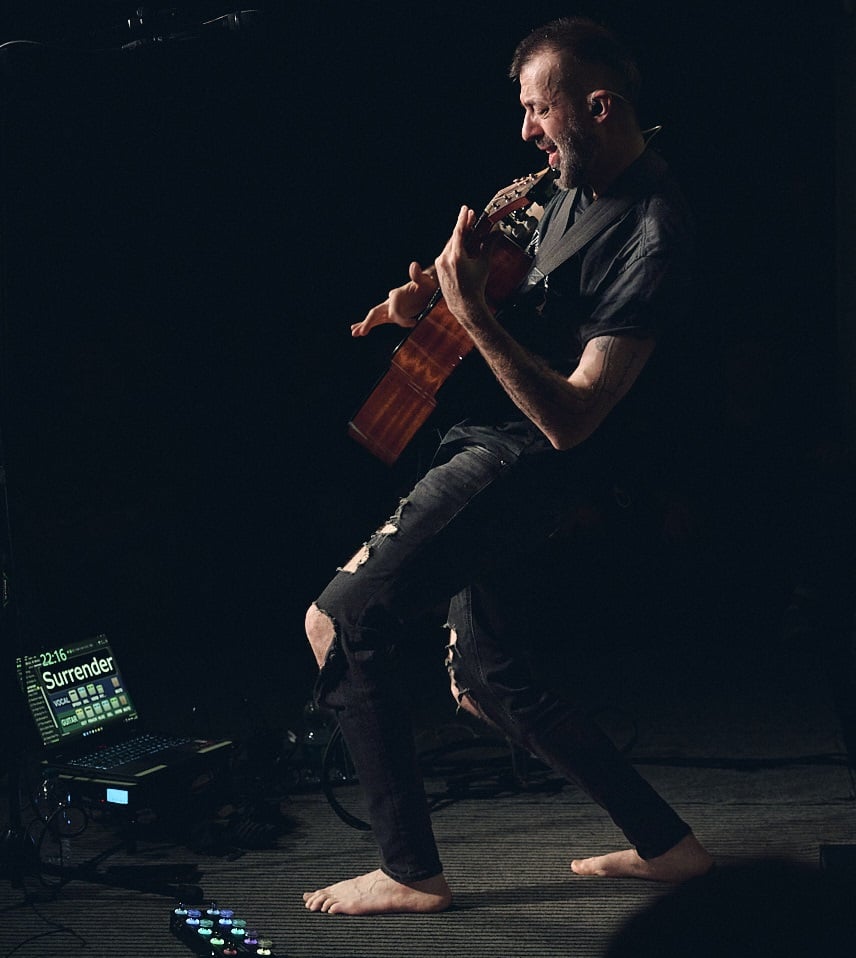
Jonny Roberts of (as of time of writing) Surrender to Eden shows how Gig Performer powers his progressive metal keyboard rig -> LINK
Philip M. Russell – Philip uses Gig Performer as a tool to create musical accompaniment for his professional videos -> LINK
Thomas Torhan – shared photos and a description of his live performance rig using Gig Performer in his Fleetwood Mac cover band, Yesterday’s Gone -> LINK
Álvaro Herrero – shares how he moved to Gig Performer from the Fractal Audio FM3. His new Gig Performer setup not only handles his effects for U2‘s iconic guitar sounds, but simultaneously plays backing tracks, triggers visuals, and builds his in-ear monitor mix -> LINK
Victor Tarassov – shares how Gig Performer Essentials lets him gig with any guitar, in any genre, with complete freedom while keeping his rig lightweight and reliable -> LINK
Paul Gere – moderator of the Facebook group Keyboard Players in Cover Bands. Paul’s setup features a KeyLab 88 MkII, Yamaha MODX 88, a Geekom Mini PC running Gig Performer, and a large LED monitor displaying Mobile Sheets -> LINK , first show
John S. Hagewood – keyboardist for of Face Value, a Phil Collins tribute band. John shares how Gig Performer and Arturia’s virtual instruments let him recreate the massive keyboard rigs from 1977 using just software on a laptop -> LINK
Johan Berlin – keyboardist for the band Daytona. Johan went from hauling massive hardware rigs to building a lightweight, reliable live setup with Gig Performer and virtual instruments. He explains how he rebuilt his Roland D-50–based sounds, streamlined his gear for festivals and travel, and rediscovered new joy in music with Gig Performer at the center of his rig -> LINK
Isaac Velasco – shares the story of building his dream guitar rig, which he says “is only possible with Gig Performer.” His rig features guitar effects with individual signal paths that enable audio tails to be handled smoothly as he switches sounds -> LINK
Domenico Patella – shares how he brought his R.E.M. tribute band to the stage for the first time thanks to a software-based rig powered by Gig Performer -> LINK
Rich Bailey – Rich recently swapped his Nord Stage 3 HP76 with a lightweight M-Audio Oxygen Pro 61 to make gigging easier on his back. His powerful yet lightweight setup includes two small touchscreens and a custom-built plywood case to house his hardware. If you need inspiration to downsize your gear without downsizing your sound check out this thread -> LINK
Hugo Azevedo – guitarist for the Bristol metalcore band BEΛRPIT. Hugo breaks down both his cab setup and front-of-house rig, powered by Gig Performer 5 Pro with Neural DSP and NAM profiles -> LINK
Neil Golden – shares how he moved from a Nord and pedalboard setup to a full Gig Performer rig on Mac. Neil is new to Gig Performer and is finding it “stable, powerful, and intuitive.” Gig Performer is gradually replacing his hardware pedals and instruments -> LINK
Jon Fairhurst – shares how he uses Gig Performer as a live mixer for his daughter’s acoustic club and café shows -> LINK
Kristian Wålberg – Kristian shares a photo of his compact guitar setup built around Gig Performer. His custom-made, 3D-printed enclosure is portable and houses everything he needs to perform live -> LINK
Steve Johns – showcases two videos of Gig Performer setups: one using Unify and Arturia synths in a 3-synth discovery rig, and another combining Diva, Bazille, and Hive. Both demos use Jam Origin’s MIDI Guitar -> LINK
Oliver Kowalewski – Oliver has shared an image and explanation of his MIDI guitar-based Gig Performer rig. “The advantage over my old GR-55 and SY-1000 is that everything is 1,000 times easier to program via Gig Performer.” -> LINK
Alexandre Dumont – Alexandre has shared images and a detailed breakdown of his “smallest setup with the biggest sound,” designed specifically for high-energy nightclubs -> LINK
Alexander Peter – evolution of a modern keyboardist -> LINK
Chris Ault – guitarist and vocalist for the Top Shelf Band. Chris has built a reliable setup using a mini-PC -> LINK
Thorleif Markula (LoFiLeiF) – a MIDI guitar musician and moderator at the Jam Origin forum -> LINK
Christophe Darlot – touring with Adelbert and performing children’s music, and the theme of the band’s new album is metal. -> LINK
The list could go on and on—be sure to explore the Gig Performer in Action forum to discover many more artists and their setups. We also take this opportunity to invite you to share your Gig Performer in Action story with us. .
Free Gig and Rackspace files
.
We’re incredibly grateful for every contribution from our amazing community members. By sharing gig files, they make it easy for others to explore real-world gig design concepts and find inspiration for their own ideas.
In addition to the many gems found throughout the community forums, we’ll highlight some of the latest gig and rackspace files here—free, downloadable templates thoughtfully created by our dedicated community members.
Neural DSP Archetype: Cory Wong X – the rackspace has over 30 presets stored as variations for easy access, and widgets mapped to many of the most important controls -> LINK (another take is here)
Cameron Winters’ Main gig file – dedicated guitar, bass, and the Global rackspace panels, a clean wiring layout, and a diagram showing how the entire rig fits together -> LINK
Rhodes Wurli/Anthology Panel – a simple but highly effective panel for the Rhodes Wurli and Anthology plugins, giving fast access to essential plugin controls -> LINK
XLN Audio RC20, Rhodes V-Rack, Rhodes Wurlitzer, SoftTube Fix Phaser, UAD Brigade Chorus, SoftTube VCA Compressor – beautiful panels for these plugins -> LINK
Nord Electro 2 MIDI Control – a rackspace to control his Nord Electro 2 from Gig Performer. Included are 27 presets inspired by classic B3 sounds, added DevilSpring reverb, and created a custom LCD-style panel to display variation titles -> LINK
Native Instruments Super 8 – the panel closely mirrors the synth’s UI and gives you control over the most important features -> LINK
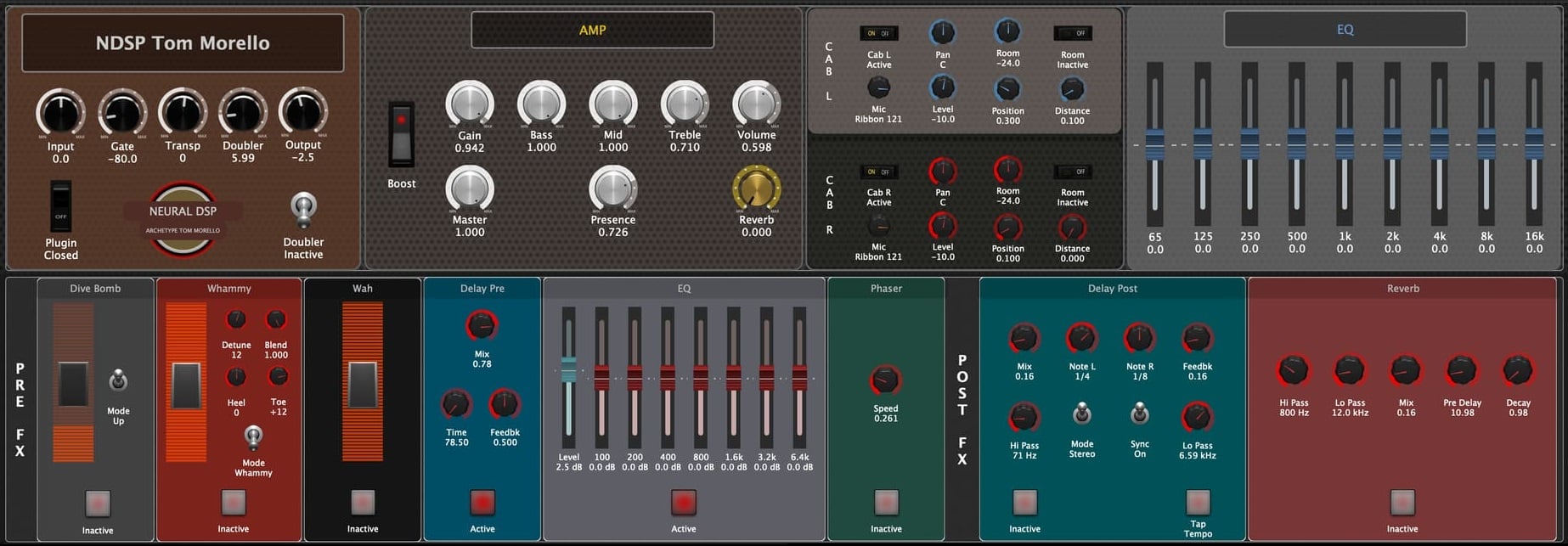
Neural DSP Archetype: Tom Morello – in addition to a beautifully designed panel that gives you control over all the plugin’s parameters, the included GPScript ensures all widgets sync when you select a preset from within the plugin UI -> LINK
X4 MIDI for keys – A flexible template for dealing with layers and splits for the keys, including on/off control for sustain pedal and pitch bend, and on/off control + scaling options for modulation wheel and expression pedal -> LINK
Cherry Audio Atomika – A rackspace designed for the synth Atomika by Cherry Audio -> LINK
Neural DSP Archetype: Petrucci X – beautifully designed panel for the Petrucci X plugin -> LINK
Cherry Audio KR-55C Drum Machine – plus Cherry Audio’s two free synthesizers, the Surrealistic MG-1 Plus and the Synthesizer Expander Module. This setup lets you control the KR-55C in the Global rackspace while layering the synths on top or splitting them across the keyboard for bass and lead sounds -> LINK
Pianoteq rackspace – it provides real-time access to the most important plugin parameters via widgets on the front panel -> LINK
IK Multimedia B-3X – designed to control all B-3X parameters from a single rackspace -> LINK
Global rackspace player controls for backing & cue tracks plus tempo map – a powerful setup for managing backing tracks, cue tracks, and tempo automation from the Global rackspace. It syncs multiple Streaming Audio File Players with a MIDI File Player, which can be used for tempo mapping or automation. The gig file also auto-loads presets based on song names -> LINK
Arturia OB-X and more – a flexible, ready-to-play setup featuring dual OB-X synths, a Native Instruments Battery drum machine, and a piano, all with customizable key ranges. It includes variations for the songs Never Been Any Reason, Dancin’ in the Dark, Uprising, and Hot to Go -> LINK
Mobius 3 Looper – control the Mobius 3 Looper with up to six tracks. Each track has its own set of MIDI mappings, plus a global reset option. The rackspace also includes an external MIDI In block for radio-button-style control and comes with a basic wiring layout using two input sources -> LINK
Cherry Audio DCO-106, PS-3300, P-10, Keyscape and more – a gig file with rackspaces for these plugins -> LINK
Neural DSP Morgan Amps Suite – includes controls for all three amp models, a shared pre/post effects section, and individual EQ sections for each amp -> LINK
MIDI Guitar: 3-Synths Discovery Setup – it’s a hands-free 3-synth setup for MIDI Guitar, using Unify and Arturia’s Pigments, CZ V, and Jup-8 V4. Tap a footswitch to randomize patches and discover inspiring sounds -> LINK
8 plugins – 2 Keyboards Jam rackspace – enables the spontaneous selection of up to 8 different sounds from 2 different keyboards. Users can assign any plugin to either keyboard spontaneously. It also features intelligent plugin bypassing based on noise detection and play status, helping you save CPU without cutting off audio -> LINK
Neural DSP’s Fortin Cali Suite – an expanded version of the Cali rackspace. This version adds amp types, stomp boxes, cab mic settings, EQ, and effects, all designed for versatility -> LINK
4 instance TH-U looper with Overdub on-off switch – a customized version of the TH-U looper plugin that allows toggling Overdub mode and simplifies its controls to behave like a standard single-channel looper. With a clean layout and ready-made presets, this gig file makes looping with TH-U even easier -> LINK
8 Synth Discovery – using Unify inside Gig Performer, this gig file that can randomize 8 synths simultaneously, creating a simple workflow for sound discovery -> LINK
Jam Rackspace – a powerful Jam rackspace designed for musicians who need to switch sounds, layers, and splits on the fly. It lets you combine or divide up to twelve plugins across one or two keyboards, intelligently manage CPU with auto-bypass, and quickly adapt to any performance or practice situation -> LINK
Streaming Audio File Player Plus Others – a practical example showing how to use the Streaming Audio File Player and manage MIDI and keyboard splits across up to six synth slots -> LINK
Amplitube 5 Vox, Fender Rack – includes Amplitube 5 with a Vox British Copper 30TB and a Fender Princeton -> LINK
GSI VB3-II – a rackspace for the GSI VB3-II plugin -> LINK
Rackspace for 10 VSTs with splitting & layering – suppose you are juggling between bands you may be in need of a means of quickly changing your instrument configuration depending on what voices were needed for whatever song the group wanted to try out. In that case, this gig file is for you -> LINK
.
Stories from the Trenches
.
The Stories from the Trenches forum features typically shorter stories where we share interesting projects, venues, and Gig Performer setup updates from Gig Performer users. These stories offer quick, practical insights into how Gig Performer is being used in a wide variety of real-world situations.
Be sure to check out these threads:
Gig Performer meets “Weird Al” Yankovic – Gig Performer co-founder Dr David Jameson met Rubén Valtierra, the keyboardist for Weird Al who just completed a sold out arena tour in the US. Rubén switched from his previous hardware rig to a completely virtual keyboard rig powered by Gig Performer -> LINK
Arguably the most powerful workstation on the planet is running Gig Performer – Inventor and keyboardist Sayid Rezić shared his impressive custom-built live workstation, the Trans-Audio Avenger M+. After 8 years of experimenting, learning and various prototype-phases, this is the final version of his ultimate workstation -> LINK
Theatrical Performance of The Wall – Dr David Jameson shared photos from a recent staged production of The Wall at The Colonial Theater in Pittsfield -> LINK
Gig Performer in castle Thierstein – a Gig Performer master shares photos of his performance -> LINK
Gig Performer supporting Meerika – Gig Performer user Mikko Patama shares his experience supporting Meerika’s first solo gig using Gig Performer and the Push 2 controller -> LINK
Between the Wheels by Rush – Tim Starace of YYNOT used Gig Performer to recreate a powerful cover of Between the Wheels by Rush. With a Geddy Lee-style Fender Jazz Bass, MIDI foot pedals, and synths controlled via Gig Performer, he nails the tone and feel of the original live sound -> LINK
New Questar tunes – Jacob Karlzon premiered four new tunes on YouTube of his new group Questar -> LINK
New CD: El Otro – Estupendo – El Otro is a notorious 80s nostalgic. His instrumental tracks move in the border between electric, funk and fusion. In the creative process before mixing and mastering the author used Gig Performer -> LINK
Gig Performer in castle Merburg – a public performance in a castle from 1040 AD -> LINK
MOTU UltraLite-mk5 vs built-in audio interface of Studiologic SL73 MkII – Steve Johnson tested the built-in audio interface of the Studiologic SL73 MkII and compared it to his MOTU UltraLite-mk5. While he prefers his MOTU for high-fidelity sound, the Studiologic provides more than adequate support for live performance -> LINK
If you are on a budget – Gig Performer user Mark Spavin shows that you don’t need expensive gear to build a professional, rock-solid live rig. His ultra-affordable setup, centered around a 2012 Mac Mini, a Focusrite interface, and a Behringer MS8000, fits neatly into a compact 2U rack. Despite its modest price tag, the system delivers DI outputs, click routing, local monitoring, and in-ear monitoring -> LINK
Kurzweil PC3x and Korg M3 design – user Julian Wareley recently posted a behind-the-scenes look at his setup, where he controls a Kurzweil PC3x and Korg M3 via Gig Performer. While Julian doesn’t provide a full tutorial, his custom rackspaces and use of GPScript offer inspiration for what is possible when controlling outboard gear with Gig Performer -> LINK
Gig Performer developers at NAMM 2025 – Co-founder David Jameson and developer Eldad Kuperman attended NAMM 2025, where several companies were using Gig Performer -> LINK
Can you gig with a setup with total cost of $322 – a Gig Performer user from Reddit built a powerful and cost-effective setup for his Neural Amp Modeler using Gig Performer and a Windows computer. The total cost of his hardware plus Gig Performer Pro was $432 (or $322 if you use Gig Performer Essentials) -> LINK
Built my own Live mode for Helix Native with Gig Performer – a Gig Performer user shared how he built his own Live Mode for Helix Native using Gig Performer, which solves the common pitfalls of the Helix Native hardware, such as running out of snapshots and not being able to see the status of effects and amps -> LINK
YYNOT rig rundown – a quick bass rig rundown of Tim Starace -> LINK
Live eDrums setup – functional setup featuring MOTU Mk5, Superior Drummer and Gig Performer.-> LINK
Computer based guitar pedalboard – great rig rundown of a computer based pedalboard -> LINK
Can you run Gig Performer on a postcard-sized computer – in this story, Gig Performer runs on HEIGAOLAPC Mini PC and takes 30% for the most complex setup -> LINK
When your wife is tired – a Gig Performer user showcases his “wife-friendly” suitcase with wheels suitable for lugging around -> LINK
Gig Performer saved the guitarist after his hardware failed – an electrical surge happened an hour before starting a show and he band’s guitarist found his pedalboard burned out. Now what? -> LINK
Reunited with Gig Performer – a story about Gig Performer just making life easy for a keys player, with no constraints, allowing you to do whatever you can think up -> LINK
3D printed case for Gig Performer – instead of splurging $750 AUD, can you get away with only $30 AUD -> LINK
Toby’s Gig Performer Setup – Here is an interesting thread in the German forum Musiker Board -> LINK
Zero latency tracking with Gig Performer – a Gig Performer user explains how he is monitoring guitar amp sims and full vocal chains in Gig Performer with near zero latency, while his DAW session “runs happily” at 2048 samples -> LINK
Sound Design with Gig Performer
.
The Sound Design with Gig Performer forum category is where community members share gig files created for specific songs and musical styles. These posts highlight creative approaches to building sounds, layering plugins, and shaping tones within Gig Performer.
By sharing complete project files, users give others the opportunity to study, reuse, and adapt proven sound design ideas for their own performances.
Michael Jackson – Billie Jean (video tutorial) -> LINK
Bonus: Ken Matson demonstrates how he splits the sounds for “She Blinded Me With Science” across his two keyboards: an Oxygen Pro 61 and a Nord Stage 3 used as a controller. Ken has a great approach to intelligently placing his sounds across the keyboard and uses a creative Streaming Audio File Player technique to cycle through samples on a single key -> LINK
We have created an index of these threads. Click here to access it.
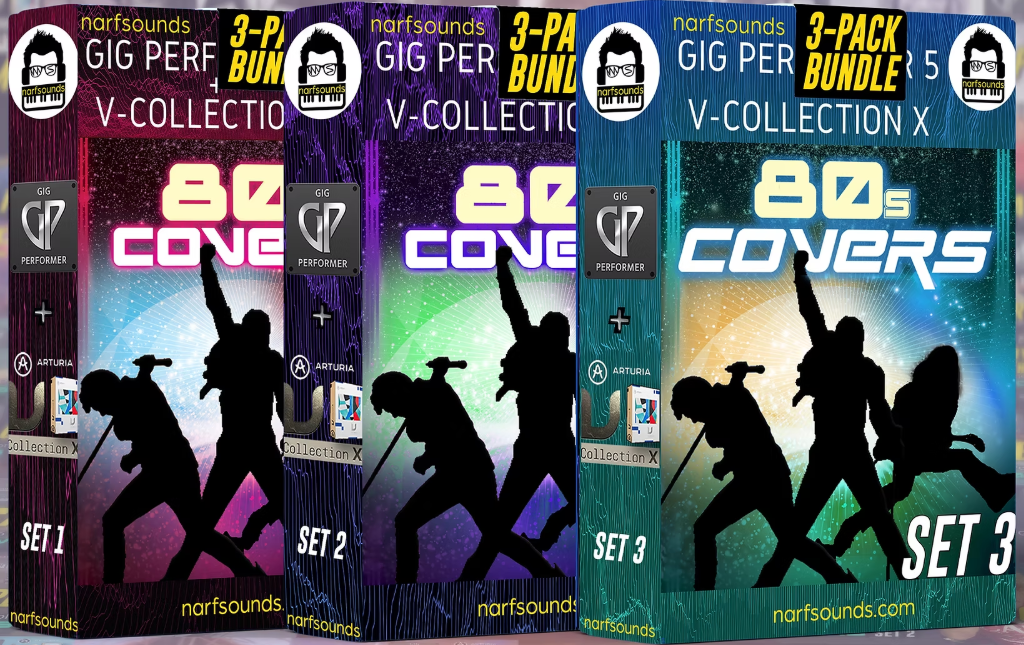
There are also commercial sounds packs for the Arturia Modeling Collection and Cherry Audio plugins developed explicitly for Gig Performer which are available at Narf Sounds.
In 2025, Set 4 was under development. Click here to learn more about the commercial sound packs available for Gig Performer. .
The Power of GPScript – Gig Performer Scripting Wizardry
.
GPScript is Gig Performer’s powerful, proprietary scripting language that enables musicians to go far beyond standard setups. With GPScript, users can create highly sophisticated, customized behaviors—automating complex actions, make flexible MIDI operations, and tailoring rigs to their exact vision.
Gig files that leverage GPScript showcase just how flexible and expressive Gig Performer can be, turning creative ideas into performance-ready solutions.
Behind these GPScript-powered gig files is the creativity and dedication of community members. By generously sharing their work, they give others the opportunity to explore sophisticated scripting techniques, learn new approaches, and adapt proven ideas for their own performances. These shared gig files are a testament to the collaborative spirit and technical mastery within the Gig Performer community.
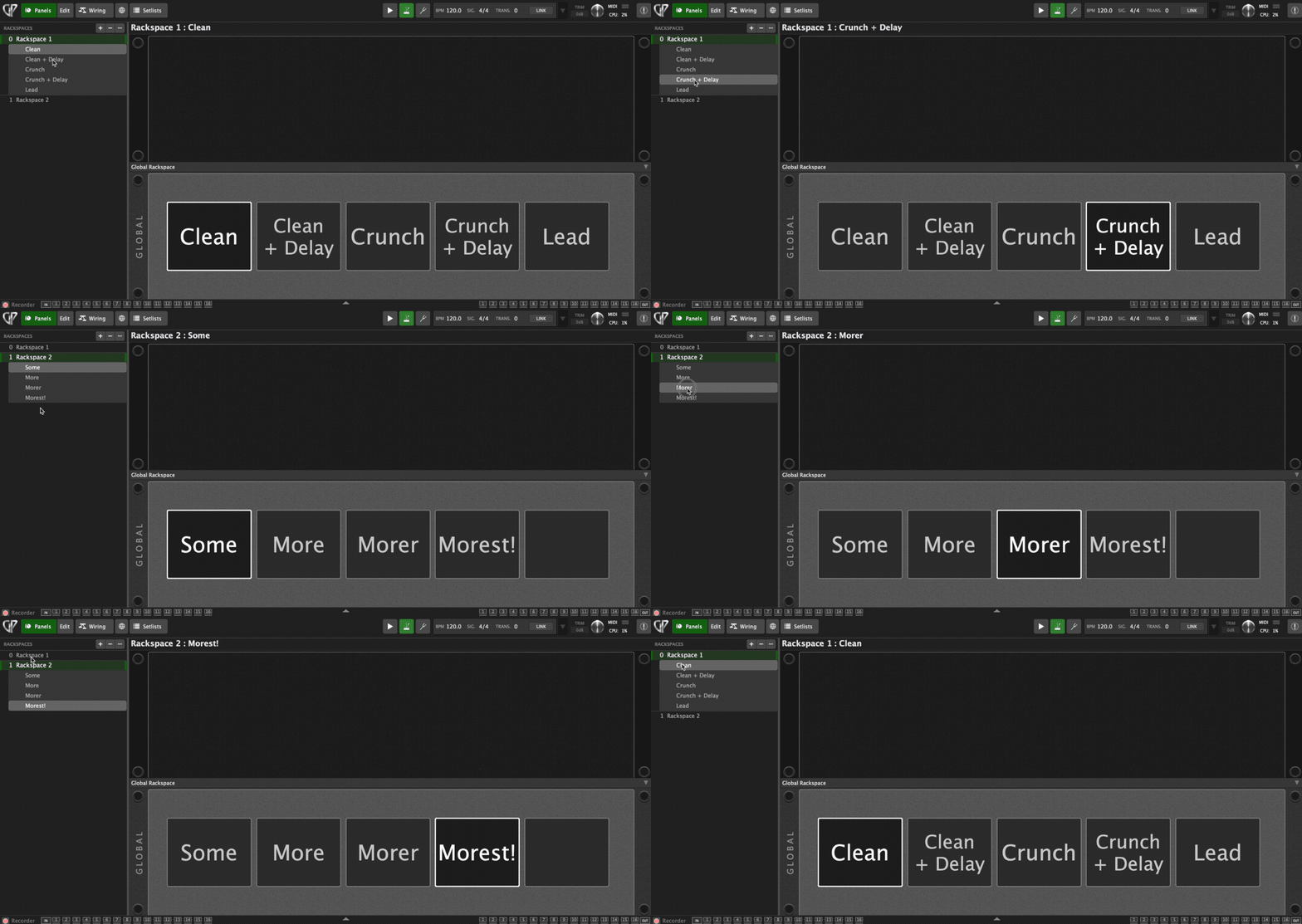
Big Variation Names – an example of using GPScript to provide a nice display of the variation names and which is selected -> LINK
Morphing between two drawbar settings – a clever drawbar morphing setup for organ players. You can store two drawbar positions and morph between them with a fader or mod wheel -> LINK
GP-Preset Roll-Selector – a powerful rackspace script for switching plugin presets using variations. Variation names directly trigger GP Presets, so you can scroll through sounds with a knob or buttons, then press “Select” to load a preset. Built around the included LostIn70s organ plugin, it supports up to 256 presets -> LINK
Glissando Scriptlet – a scriptlet that lets you trigger mapped glissandos and arpeggios with a single note. It works well for creating harp runs, synth sweeps, or ambient textures. You can set delay, note duration, number of notes, and switch between chromatic and major scales -> LINK
Use X-Touch Mini to control everything – a powerful script for the Behringer X-Touch Mini. This script enables bidirectional LED sync and LED modes that reflect widget states, enabling deeper integration with Gig Performer and access to far more parameters than the device’s physical controls allow. As a bonus, included is a printable skin for the X-Touch Mini -> LINK
Dynamic widget grouping – this example enables dynamic widget grouping via GPScript. This is especially useful for assigning a single set of physical faders to multiple widgets or using one widget as an offset control across several others -> LINK
Display message on KORG Keystage OLED – allows to send display messages to the Korg Keystage OLED -> LINK
Chord Target – a powerful scriptlet that detects specific chords, including inversions, played anywhere on the keyboard. When the target chord is played, it triggers outputs that can be connected to widgets to control any parameter. These outputs can stay active while the chord is held or send a MIDI pulse. The example also includes settings to avoid false triggers when playing similar chords -> LINK
MIDI Clock Master – this scriptlet enables Gig Performer to function as a MIDI clock master. This tool allows you to send MIDI clock signals to external hardware, synchronizing tempo across devices. You can enable or disable the clock and adjust timing directly in the scriptlet -> LINK
Auto Pitch Bend – a hands-free auto pitch bend script that automatically bends notes up a half step as soon as they’re played; perfect for moments when you don’t have a free hand for the mod wheel. Inspired by Garbage’s “Cities in Dust,” the script can be customized to adjust the bend amount and behavior -> LINK
Arturia KeyLab Essential MKII Display and LEDs – a script for the Arturia KeyLab Essential MkII MIDI controller, enhancing its integration with Gig Performer. This script introduces a scrollable menu accessible via the keyboard’s central knob, allowing users to view and adjust settings such as setlist, rackspace, tempo, time signature, and transpose directly from the hardware interface. It also includes direct display control and LED pad feedback -> LINK
Velocity Slope – a scriptlet that applies a velocity slope across a defined note range. Instead of giving every note the same velocity, this scriptlet gradually scales velocity from one end of the range to the other—perfect for creating smooth velocity transitions across split zones. Unlike MIDI In blocks, this approach adjusts the velocity for each note individually -> LINK
Line 6 Helix Tempo – a scriptlet to sync tempo with the Line 6 Helix. Because MIDI clock compatibility with the Helix is limited, he uses CC messages generated from a scriptlet to mimic manually tapping in the tempo, automating the process entirely -> LINK
Autofade Script with Snap-back – a scriptlet that performs an autofade, gradually reducing the rackspace volume to zero. When the autofade is complete, the connected gain control snaps back to the original level -> LINK
Automated widget movement (Volume Envelope) – a script that automates widget movement over time. This can be useful for smoothly transitioning volumes when switching between rackspaces. This gig file also allows you to adjust the speed of the transition -> LINK
Bi-Coloured LED Widgets – a clever script that makes LED widgets change color to reflect different states. With bi-colored LEDs, you can instantly see visual feedback right on your front panel, making it easy to monitor plugin states from a single, central location -> LINK
Variation Morphing – a GP Script that morphs between eight parameters when switching rackspaces or variations. The result is smooth, natural transitions that eliminate sudden jumps in volume or tone -> LINK
Transitioning input sources in the Global rackspace – a gig file for automating the smooth transition and morphing of parameters across rackspaces and variations. This allows users to smoothly transition between parameter settings hands-free -> LINK
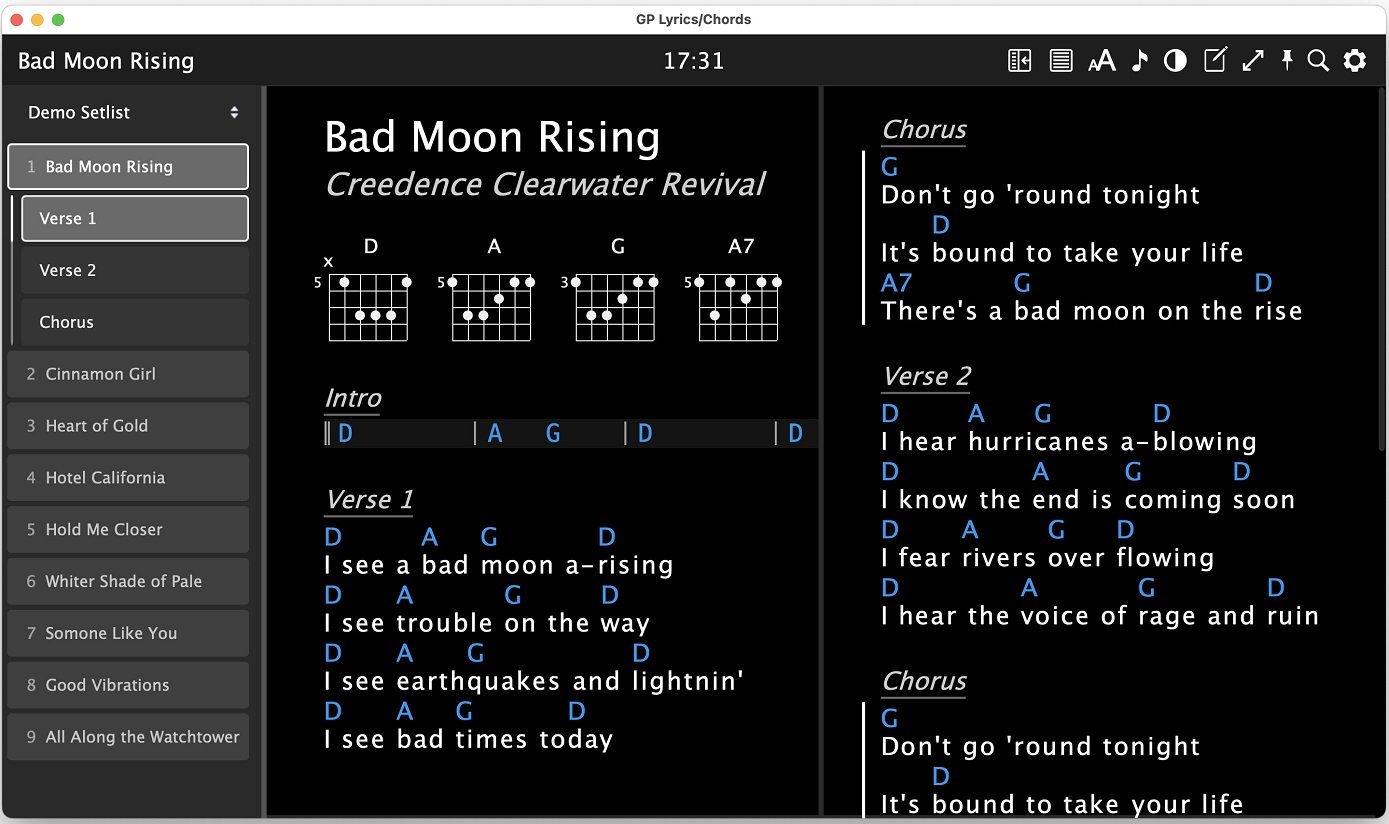
Next, the amazing Lyrics extension for Gig Performer has been updated to v1.3.1 -> LINK
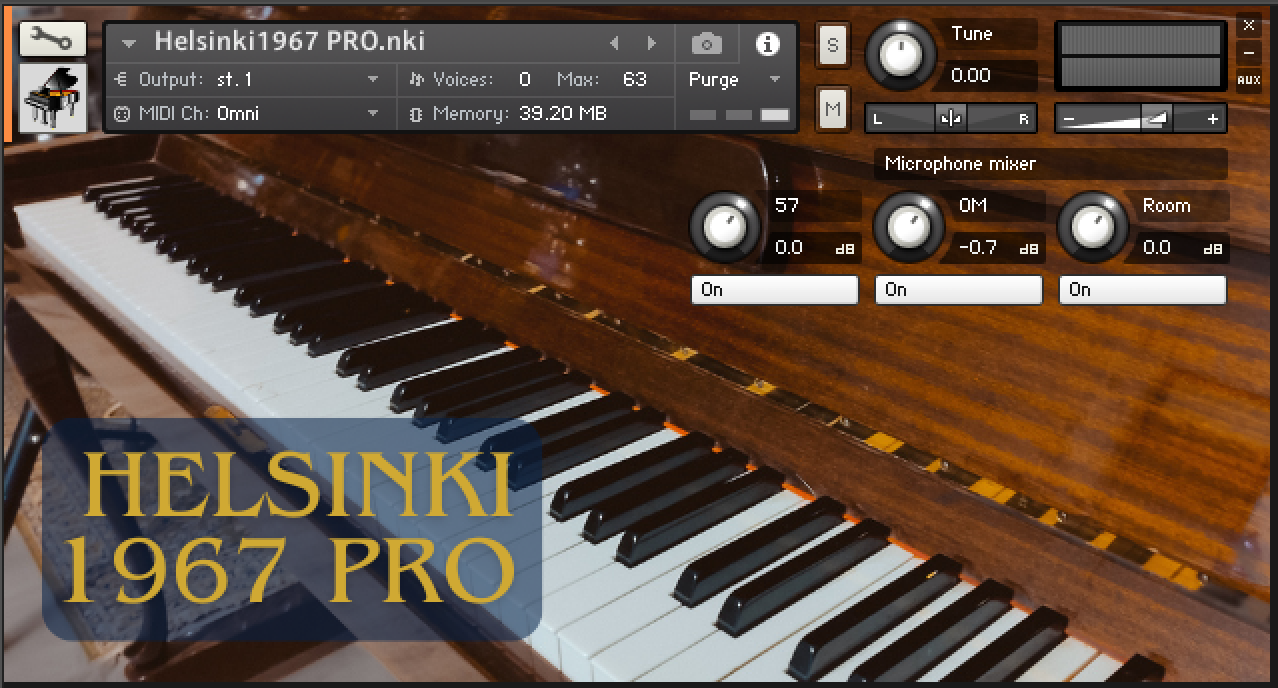
Further, Gig Performer user Mikko Patama shared his first-ever sampled instrument, Helsinki 1967, a FREE upright piano library created from his vintage Finnish “Chippendale” piano. It’s lightweight yet delivers a warm, realistic tone, perfect for composing or layering in live sets.
Available for Kontakt, Decent Sampler, Ableton Live, and Logic Pro, it also includes custom convolution reverbs recorded at the West Helsinki Music Institute for added depth. Try it here.
Honorable mention: just for fun, we have created a couple of Gig Performer Memes. Check them out here. .
What’s next?
. As we charge into 2026, our mission is not just to build on the momentum of a successful 2025, but to completely surpass it. Our passion for developing Gig Performer has never been stronger, fueled by the singular goal of providing you with thrilling new content that pushes the boundaries of what a live VST host can achieve.
Behind the scenes, the forge is glowing! We are already deep into testing amazing new additions designed to streamline your workflow and expand your sonic horizons.
We are constantly feeling the pulse of our community, listening to your stories, and compiling your brilliant ideas to ensure that every update we release truly supports your unique music-making journey.
This year is about more than just software—it’s about empowering your performance and ensuring you have the most robust, innovative tools at your fingertips to let your creativity soar.
Thank you for being the part of our community — we are grateful for all your support!
If you have any questions or you want to share your feedback, please visit our Community forums.
.
Share this article to support Gig Performer and spread the word!
We use cookies to ensure that we give you the best experience on our website. If you continue to use this site we will assume that you are happy with it.