Thank you for your interest in Gig Performer Essentials.
Please enter your name and email address in the field below. Links for both Windows and macOS downloads will be sent to you.
By providing your email address, you will be subscribed to our newsletter from which you will be able to unsubscribe at any time. Make sure you use a valid e-mail address and if you don't receive our e-mail, please check your spam folder.
Dialog window
Gig Performer® 14-Day Free Trial
Thank you for your interest in Gig Performer.
Please enter your name and email address in the field below. Links for both Windows and macOS downloads will be sent to you.
By providing your email address, you will be subscribed to our newsletter from which you will be able to unsubscribe at any time. Make sure you use a valid e-mail address and if you don't receive our e-mail, please check your spam folder.
If you have not yet upgraded, we want to share with you the key reasons to upgrade to Gig Performer 5. We will answer frequently asked questions regarding the upgrade process, and indicate the key benefits beyond your existing Gig Performer 4 setup.
We released Gig Performer 5 in May, 2024, with the build number v5.0.9 with a plethora of new features.
The latest Gig Performer release is v5.1.4 and is now known as Gig Performer 5 Pro. We wanted to distinguish it from its smaller sibling, Gig Performer Essentials.
Gig Performer 5 Pro includes even more features and updates. Check out the Release Notes page or Announcements in the Community forums.
If you are on the fence and looking at what Gig Performer 5 Pro has to offer, we want to speed up that decision. Here are the key reasons to upgrade. We’ll cover all the features with instructional videos and/or blog articles. .
1. Full support on modern operating systems
.
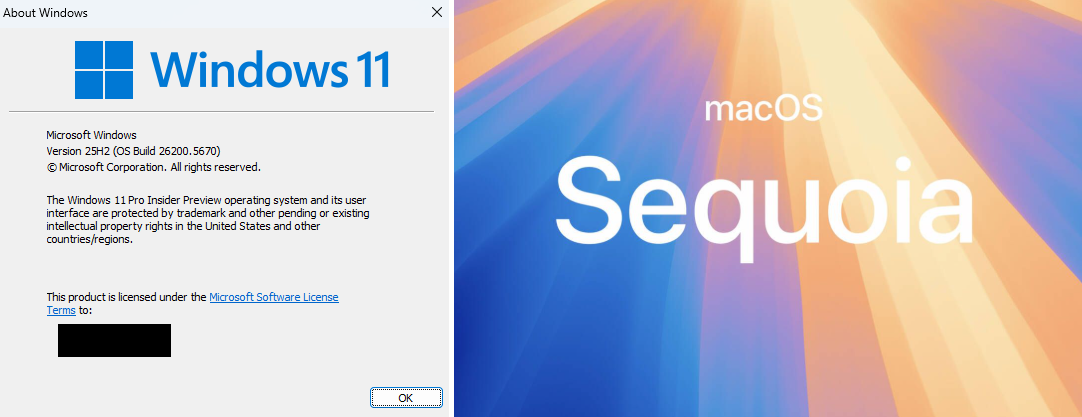
First, Gig Performer 4 is not officially supported on recent versions of macOS nor on Windows 11.
Note: We do not formally test older versions of Gig Performer on newer operating systems once we have released a newer version of Gig Performer. Therefore, we don’t test Gig Performer 4, on newer operating systems. .
2. Improved Automation
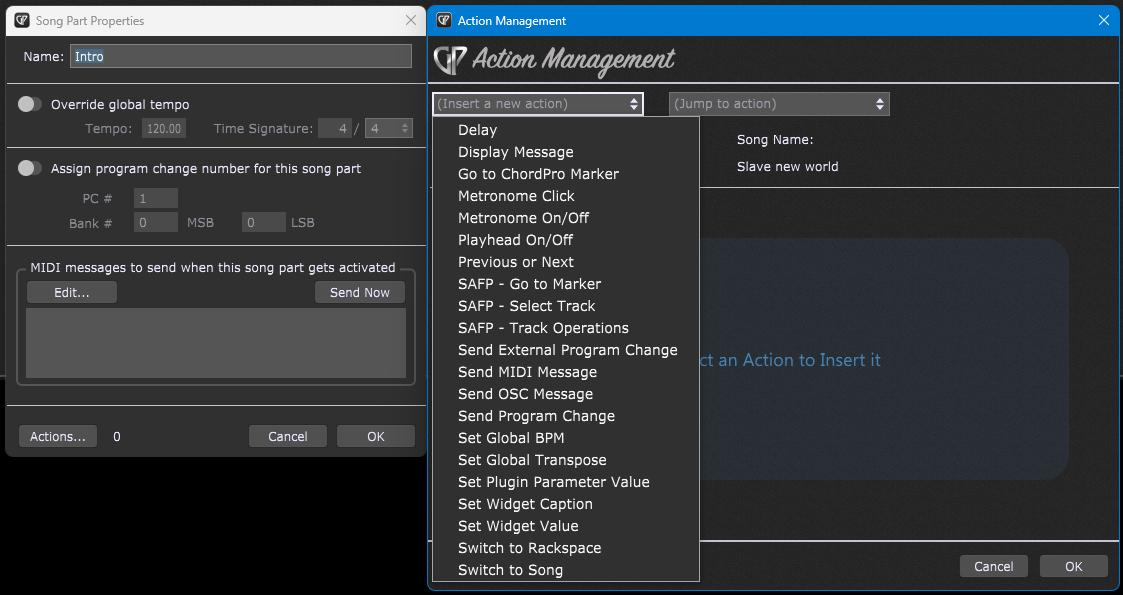
. The Timeline actions feature has been improved with additional actions. For example, there is an action for generating a metronome click. There is also an action for adding delay, which is useful for many use cases. For example, it is particularly useful if you are sending MIDI messages to an external synth that can’t handle many MIDI messages received too quickly. Further, in the actions window, there are now combo boxes for easy selecting widget and plugin handles. (Previously, you had to manually type them)
There is also the ability to test actions before saving them.
Next, new in Gig Performer 5 Pro are Song Part Actions.
The Song Part Actions allow you to define multiple actions to be triggered automatically whenever a song part is selected.
You can use this feature to send any MIDI messages to hardware, send OSC messages to remote devices for selecting videos or even invoke GP Script functions. To see an example of this feature in action, please see this blog article. .
3. Wiring Activity
.
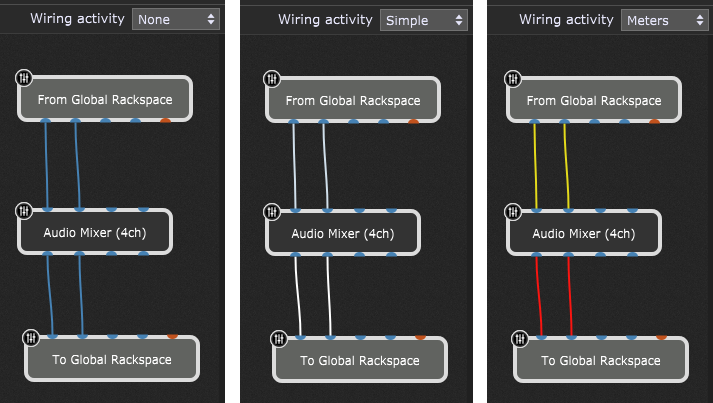
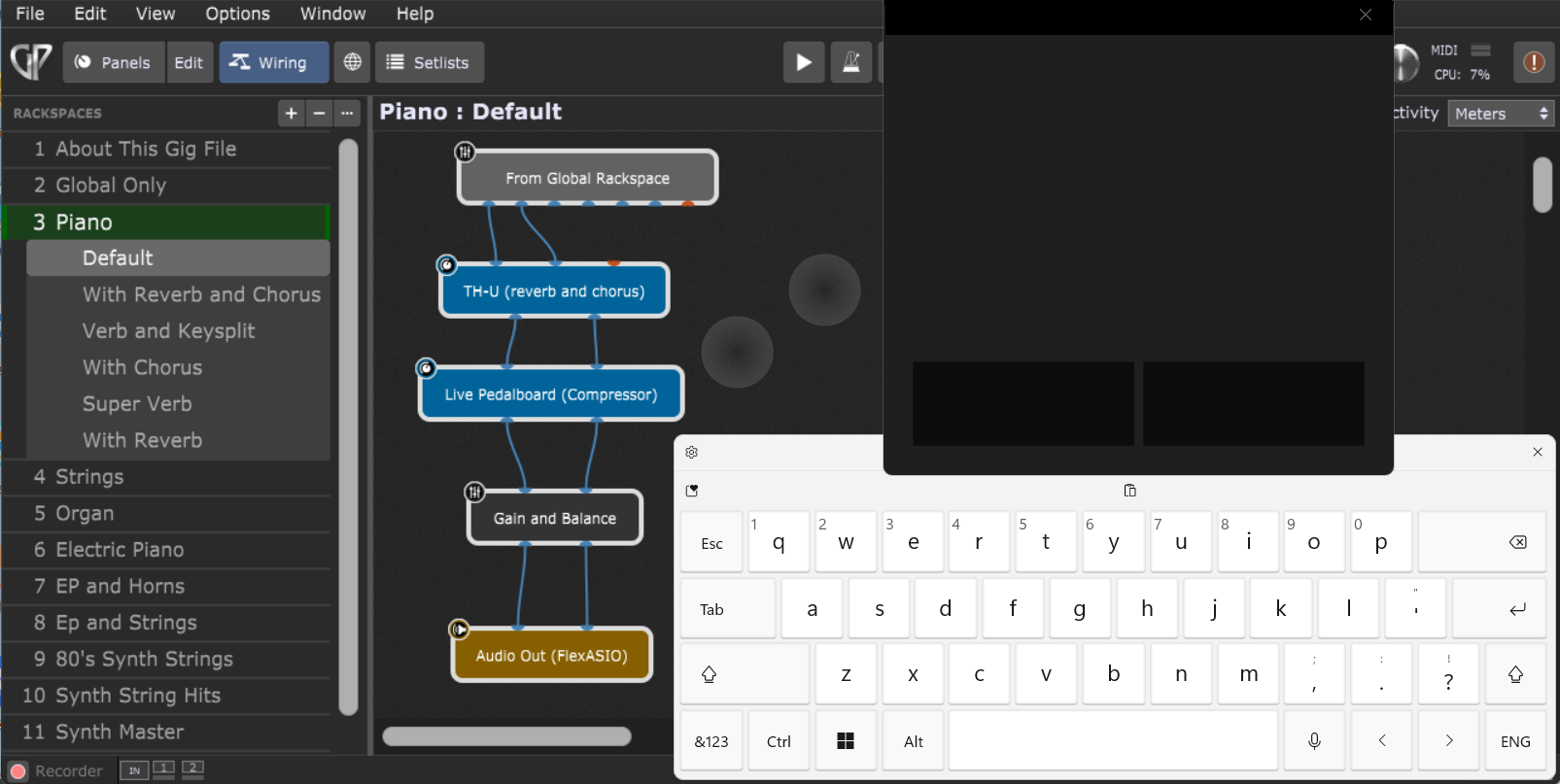
The Wiring Activity view displays connections as color-coded virtual MIDI and audio wires when any note is played, helping you to quickly understand and correct your audio and MIDI flow and audio levels. Playing your instrument makes wires illuminate to visualize signal levels — “Green” indicates that your levels are OK, “Yellow” indicates that your levels are getting a little high, and “Red” means that your signal is running hot.
Wiring Activity also lets you easily see where a signal is broken or misrouted so you can quickly and easily fix the problem. .
4. GP Relayer
.
Principal among the new features in Gig Performer 5 Pro is GP Relayer, an exciting new plugin that provides an easy way to share audio and MIDI between Gig Performer and your favorite DAW as well as between multiple Gig Performer 5 Pro instances.
Simply insert one or more of these plugins into your DAW and one or more into Gig Performer 5 Pro, and you’re ready to move audio and MIDI data back and forth seamlessly. You can directly record high-quality, low-latency audio from Gig Performer 5 Pro for your next album. Alternatively, stream your DAW’s proprietary plugins’ sounds and MIDI effects back into Gig Performer 5 Pro for an unparalleled live performance experience. GP Relayer supports up to 10 relays simultaneously. See this blog article for more information. .
5. Chord Maker
.
The Chord Maker plugin lets you create complex chords or block unwanted notes in a performance simply by playing a single key on your keyboard. Use multiple Chord Maker plugins to create different sounds for different chords. For example, now you can simultaneously perform bass, strings and choir, each part using different chords in different inversions, all with one finger on one hand, thus freeing up your other hand to perform a dedicated piano part.
Chord Maker features MIDI learn capabilities to speed up your workflow when you map notes to chords. .
6. Audio Time stretching and Pitch shifting
.
Gig Performer 5 Pro’s Streaming Audio File Player has been enhanced with new stretch and transpose capabilities.
It lets you flexibly and quickly tweak your audio tracks—speed them up, slow them down, or change the pitch—to fit any live performance or rehearsal scenario. .
7. MIDI Rechannelizer
.
Ideal for external gear integration and internal channel reconfiguration, the MIDI Rechannelizer is a powerhouse in flexible channel rerouting, enhancing your ability to manipulate and streamline MIDI flows. Using an intuitive grid-based interface, you can easily redirect MIDI signals to and from any channel or send multiple channels simultaneously.
For example, playing your MIDI keyboard on MIDI channel 1 will send multiple copies of the MIDI message on four different channels to your external hardware and multi-timbral software synths. .
8. Envelope Follower
.
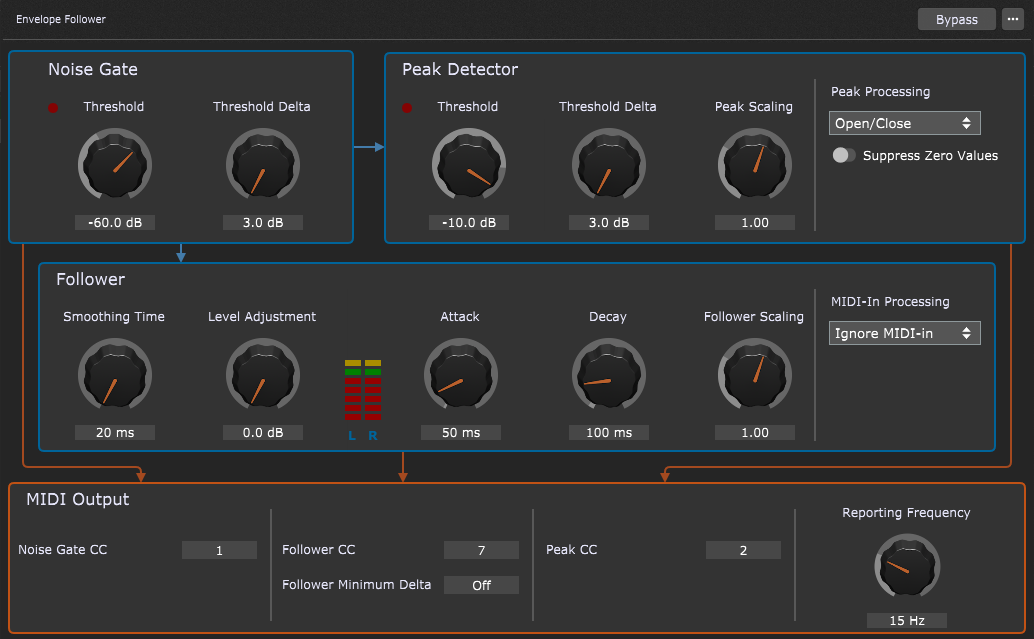
The Envelope Follower plugin lets you use audio volume to control envelope parameters in real-time—for example, wah-wah effects, which are particularly useful for guitarists. Or, if you wish to talk while playing music, Envelope Follower can produce MIDI messages that can control ducking, automatically lowering the music volume as you speak.
Using widgets, you can use audio volume to virtually control any parameter within your setup. See this blog article to learn more about this plugin. .
9. MIDI Transposer
.
The MIDI Transposer plugin is a convenient, quick way to transpose note and polyphonic aftertouch messages as messages pass through the Wiring view.
It is very useful for quickly changing the key of a MIDI sequence, and you can insert multiple Transposer plugins to create harmonic variations. .
10. Improvements to the internal plugins
.
There are numerous enhancements to the Gig Performer 5 Pro internal plugins. .
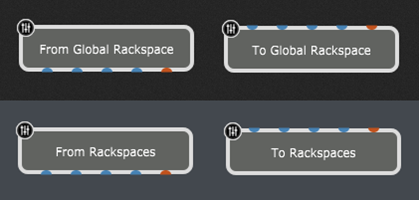
Global rackspace blocks send and receive MIDI
.
The Global Rackspace MIDI feature allows you to centralize your MIDI effects, key splits and transpositions in the Global rackspace.
Similar to how Global blocks have been used to send audio in Gig Performer 4, this new update allows you to send a stream of MIDI to and from the Global Rackspace as desired, streamlining your MIDI processing. .
Enhancements to the System Actions block
.
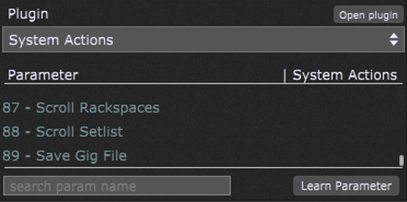
In Gig Performer 5 Pro, this block includes new functionality:
– The Save Gig File parameter allows you to quickly save your gig file.
– You can now also scroll the Panels and Setlist views.
Next, we added Next Set List and Prev Set List parameters to the System Actions plugin.
Finally, to improve readability, spaces are added to the parameter names in the System Actions plugin. .
Phase inversion in the Gain blocks
.
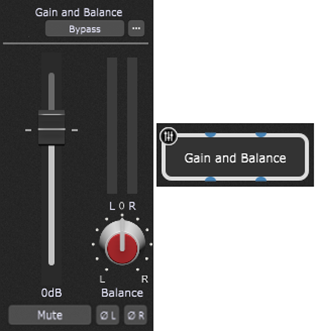
The ØL and ØR buttons are used to toggle phase inversion on and off.
This feature is typically used by sound engineers (studio and live) for different purposes, usually to resolve cases where recorded tracks are canceling each other due to multiple microphone positions. .
Enhancements to the Streaming Audio File Player
.
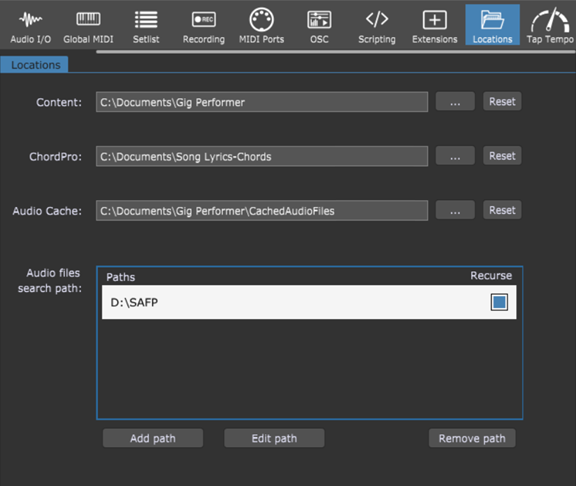
Through Gig Performer 5 Pro Location options, you can define search paths to handle song files that are in different locations.
In the latest Gig Performer 5 Pro update, it is possible to specify paths for your audio files that will be used in the Streaming Audio File Player. This is a neat feature if you move your gig files between multiple computers. Learn how to use this feature here.
Next, we included the Pause button in the Streaming Audio File Player.
. Injecting to Local GP Port
.
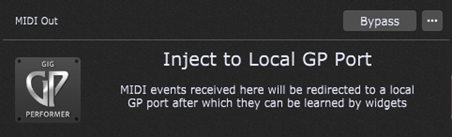
The MIDI In (Local GP Port) plugin in Gig Performer Pro now has its MIDI Out counterpart – The MIDI Out (Local GP Port).
This block is designed to receive messages from plugins such as the MIDI File Player, Envelope Follower, or other third-party plugins such as arpeggiators so that they can be mapped to widgets. .
11. New bundled plugins and templates
.
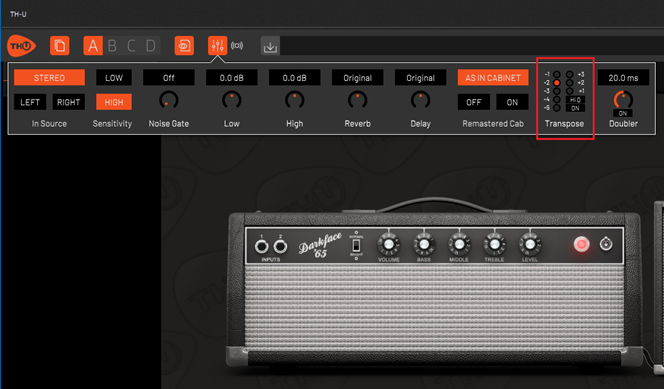
The Overloud TH-U plugin has been updated so that it now includes the pitch-shifting feature.
You can easily change the tuning of your guitar from (say) standard E to D tuning.
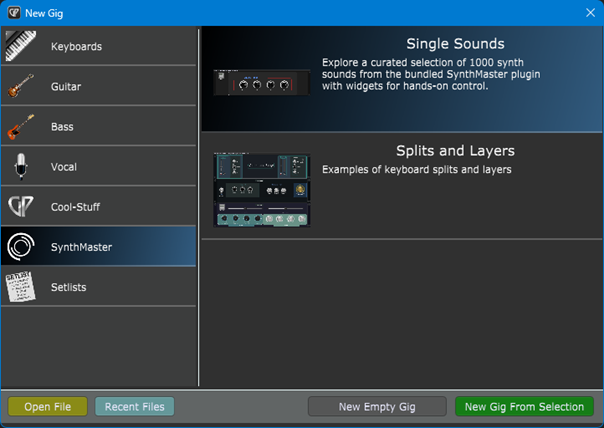
Gig Performer now includes a special version of SynthMaster Player with 1000 sounds.
Gig Performer includes ready to use templates with professional crafted sounds.
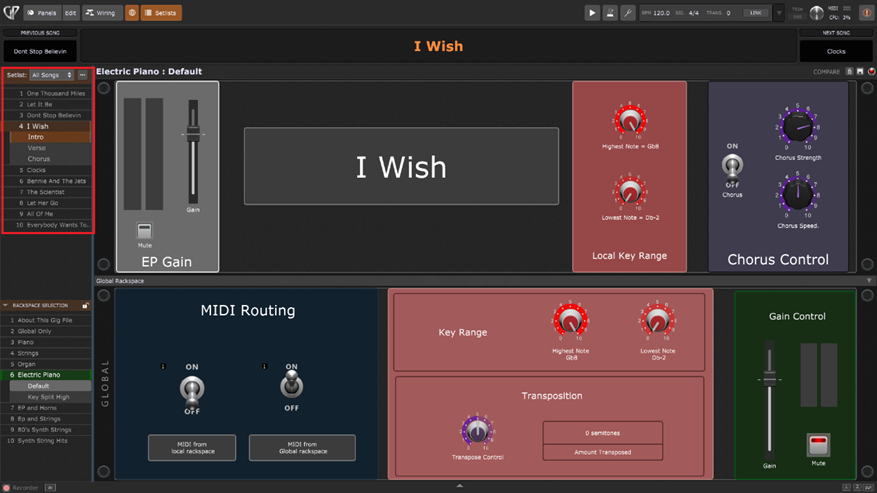
Further, we have created a demo setlist with some popular songs:
This setlist will help you to easily grasp all the fundamental concepts in Gig Performer and get you started quickly. .
12. Improved Touch Screen support
.
Gig Performer 5 brings improvements for touch screen users.
.
As Gig Performer is being developed, many minor improvements have been added along the way. For example, a simple Decent Sampler template is included with the installer. It is located in Documents/Gig Performer/Decent Sampler Templates on both platforms.
Next, it is no longer necessary to hold the Shift key down to copy widgets from global rackspace to local rackspace. If the Global widgets have parameters defined, they will be automatically configured.
Other notable updates:
In the Gig Performer main menu, there is an option to clear the recent files list.
The Variation Direct Access option works for song parts as well.
You can now prevent widgets from sending out values if the new value would be the same as the previously sent value. This was intended to allow expression pedals to be used for switching to the Next song. However, in conjunction with the appropriate scaling, this mechanism also allows you to use continuous controllers in a stepped mode. (This is effectively thinning incoming MIDI CC messages)
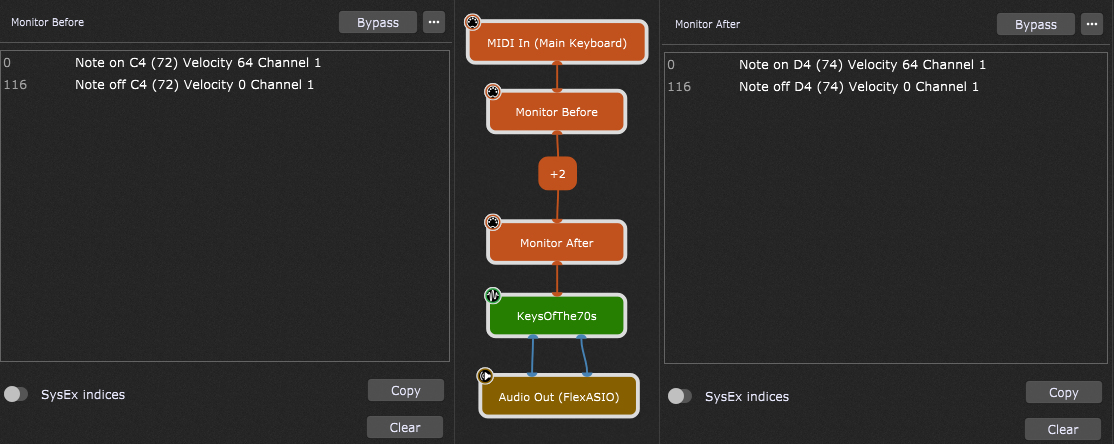
The MIDI Monitors now have the Copy button which copies displayed MIDI messages to the clipboard. Further, you can set up custom colors for particular MIDI messages.
We moved the Global rackspace toggle button to the top bar. (it replaces the small button above the rackspace browser area)
The MIDI activity indicators are brighter to improve for improved visibility.
We have included more core protections from corrupted MIDI files.
In Gig Performer 5 Pro you can choose between Instant bypass and Fade. If a particular plugin makes noises when you bypass it, you can use the “Fade” option to reduce that noise.
We added a new tag [nl] to allow new lines to be specified in a widget label caption.
When you duplicate (or copy then paste) a widget, the plugin associated with the original widget will now be associated with the new widget.
You can now scroll Widget Properties Inspector if there isn’t enough room to display all the options in this area.
New MIDI File Player improvements: we have added CurrSongName parameter, EndOfTrack signal, and the AutoPlay option.
. Wrapping up
.
There are both many improvements in the first version of Gig Performer 5 Pro and additionally many refinements that have been made over years of development. Moreover, to see all the improvements, you can check out our Release notes page.
Furthermore, Gig Performer 5 Pro can normally open Gig Performer 4 gig files. Our community users post Gig and Rackspace Files that work with Gig Performer 5.
If you are still using an older Gig Performer version, now is the right time to upgrade. Send us an upgrade request using this form.
We use cookies to ensure that we give you the best experience on our website. If you continue to use this site we will assume that you are happy with it.