Thank you for your interest in Gig Performer Essentials.
Please enter your name and email address in the field below. Links for both Windows and macOS downloads will be sent to you.
By providing your email address, you will be subscribed to our newsletter from which you will be able to unsubscribe at any time. Make sure you use a valid e-mail address and if you don't receive our e-mail, please check your spam folder.
Dialog window
Gig Performer® 14-Day Free Trial
Thank you for your interest in Gig Performer.
Please enter your name and email address in the field below. Links for both Windows and macOS downloads will be sent to you.
By providing your email address, you will be subscribed to our newsletter from which you will be able to unsubscribe at any time. Make sure you use a valid e-mail address and if you don't receive our e-mail, please check your spam folder.
In this article, we’ll explore what MIDI is and why you should give it a try.
If you’ve been performing with hardware keyboards for years, you’ve already used some incredible technology. But sooner or later, many players become curious about software instruments and effects and how to use them in their live setups.
And that’s where one four-letter acronym appears everywhere: MIDI.
.
What is MIDI
.
For some musicians, MIDI feels mysterious or overly technical. In reality, it’s much simpler than most people think—MIDI is is a means for representing what you play on your keyboard and send that information to some other device.
MIDI does not contain sound. Think of it as a set of instructions. For example, when you press middle C on your keyboard, the keyboard sends a message that says: “Play note C4 with this much force.”
The actual sound is produced by whatever receives that message, for example, a software instrument (audio plugin), a hardware synthesizer, or another keyboard.
A good analogy is sheet music:
The notes on paper are not sound.
The musician reading the notes creates the sound by playing an instrument.
MIDI works the same way. It tells an instrument what to do, but it doesn’t contain any audio itself. .
How can I try working with MIDI
.
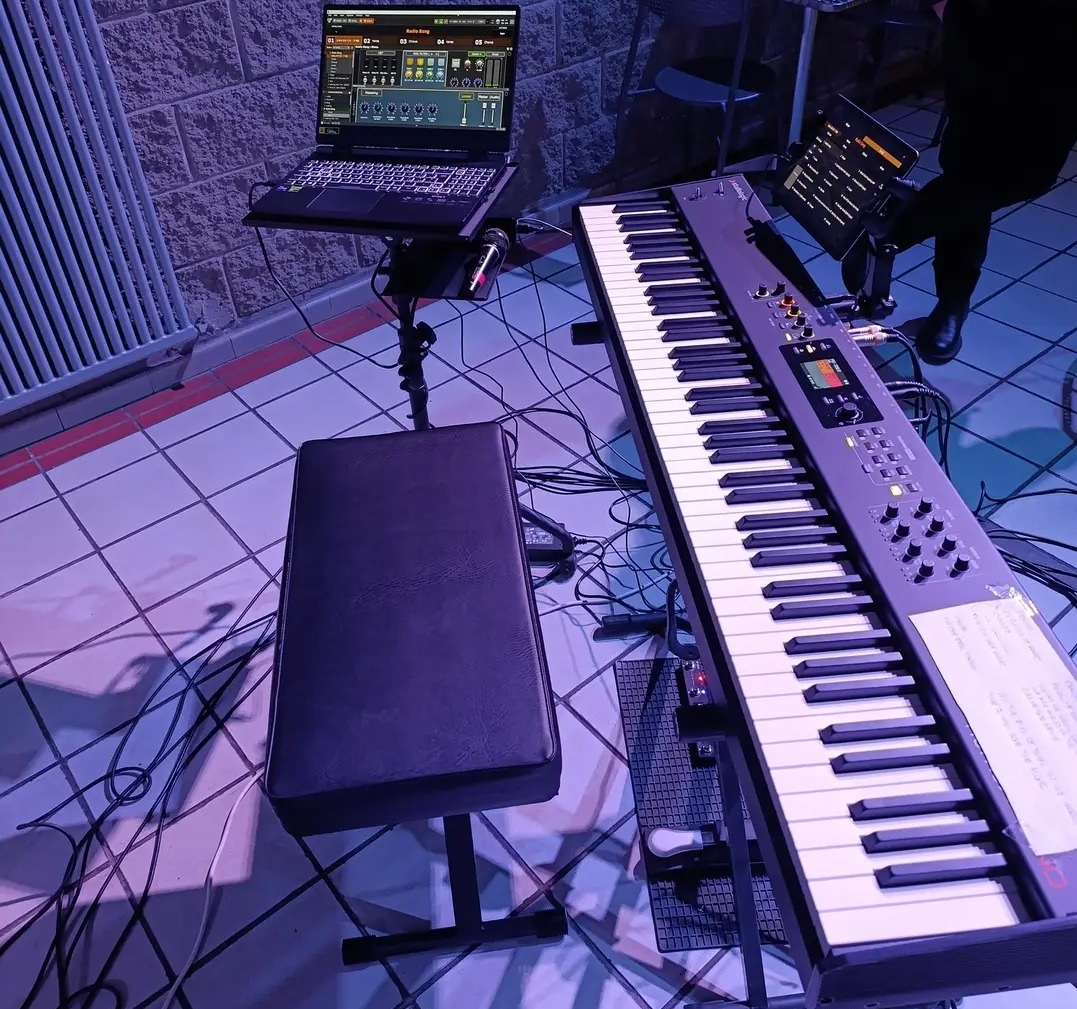
To see how it works right out of the box, you can connect your keyboard to a computer running Gig Performer and try the included templates. The templates are convenient because they are complete projects with virtual instruments and effects already included in Gig Performer. .
Connect your keyboard to a computer
.
Nowadays, you can connect most hardware keyboards, digital pianos and MIDI controllers to your computer using a USB cable. Virtually any PC (starting with Windows 7 and later) and Mac (starting from macOS 10.14) will work.
For a basic demo, you can use your computer’s built-in sound card and speakers as the audio output. .
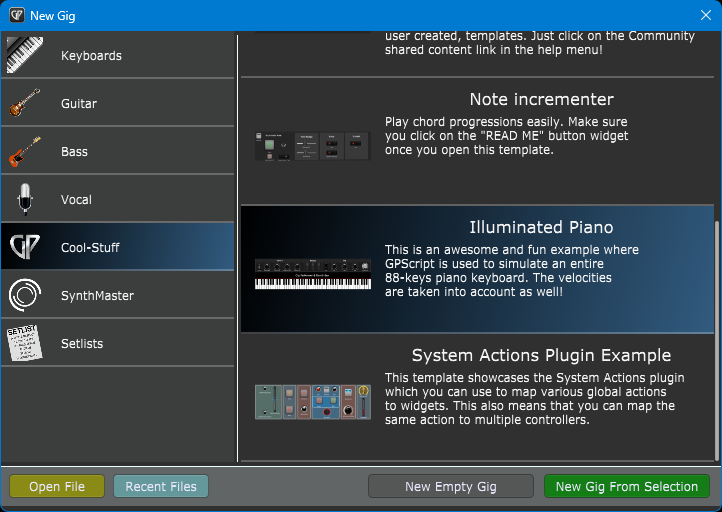
Then select a template, e.g. the Illuminated piano:
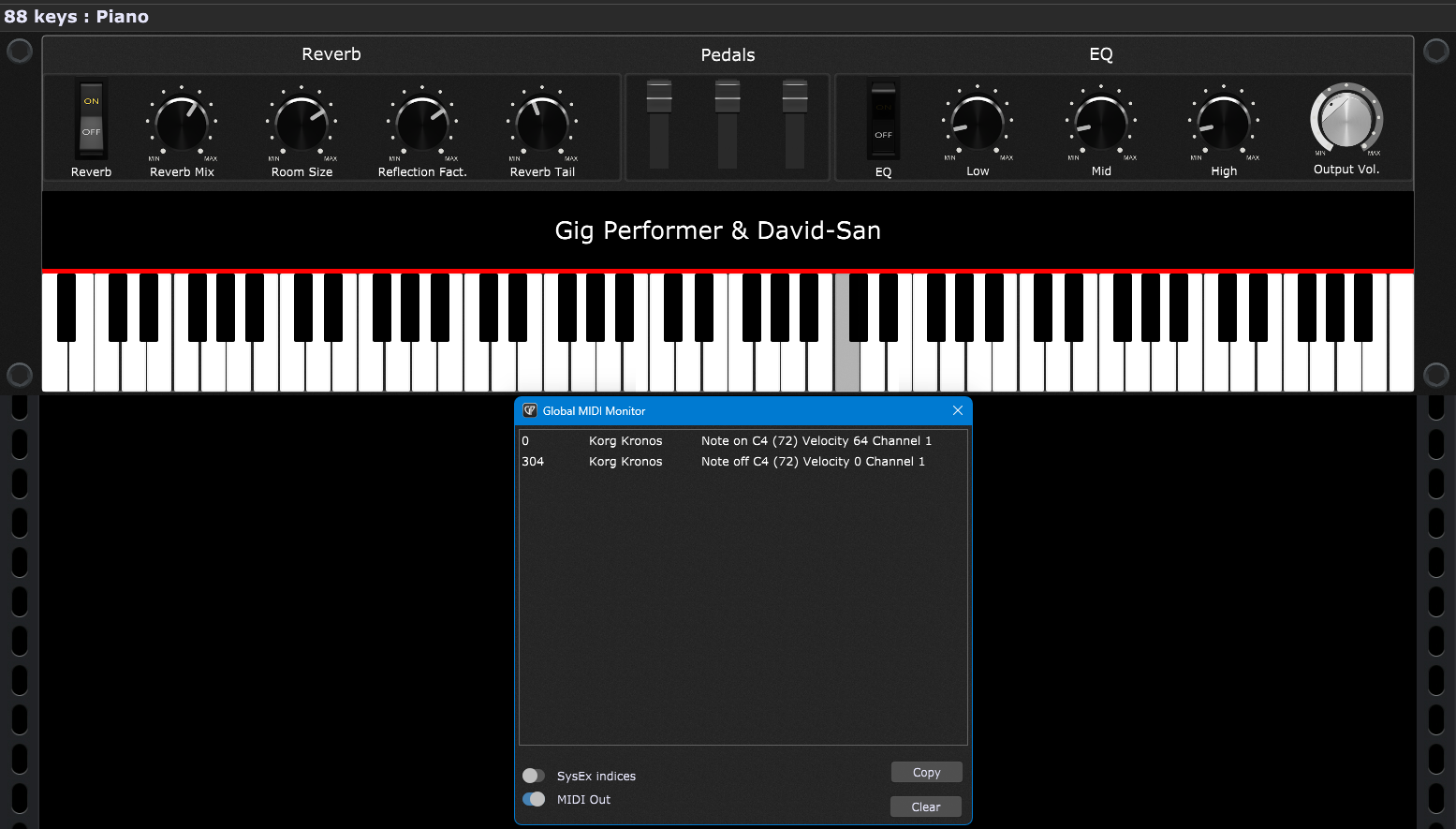
When the template loads, click Window -> Global MIDI Monitor to see what messages your keyboard sends. Press C4 and then release it:
You can see the MIDI messages in the Global MIDI Monitor and should be able to hear the sound. Note: if you can’t hear the sound, check the FAQ section below.
Congratulations! You’ve successfully used your keyboard as a MIDI controller and played on a virtual instrument!
Now you can try adjusting the knobs using your mouse and adjust (say) reverb and EQ parameters and continue playing. It’s already exciting! .
Types of MIDI messages
.
MIDI can send many different kinds of instructions. The most common ones are:
Note On – This message means: “Start playing this note.” When you press a key, your keyboard sends a Note On message.
Note Off – This means: “Stop playing this note.” When you release the key, a Note Off message is sent.
Velocity – Velocity describes how hard or fast you hit the key. A soft touch might produce a gentle piano sound. A stronger strike could trigger a louder or brighter sound. Velocity values range from 0 to 127.
MIDI Channels – MIDI includes 16 channels. You can think of them as 16 different conversations happening at the same time.
For example:
Channel 1 = Piano
Channel 2 = Strings
Channel 3 = Organ
An audio plugin or hardware synth can listen only to the channels that matter to it.
On the screenshot above, you can see the mentioned Note On, Note Off, and Velocity “happening” on the MIDI Channel 1.
Program Change – Program Change (PC) messages tell an instrument to switch presets.
For example:
Program 1 = Grand Piano
Program 2 = Electric Piano
Program 3 = Organ
Many live performers already use Program Changes without even realizing they’re using MIDI.
In the Gig Performer world, sending a Program Change message will select a patch (“Rackspace”) or a song.
Control Changes – Control Change messages—often called simply “CC messages”—are used for knobs, sliders, pedals, and buttons.
Some common examples include:
CC1 = Modulation Wheel
CC7 = Volume
CC11 = Expression
CC64 = Sustain Pedal
When you press your sustain pedal, you’re usually sending CC64.
Stay tuned, in the next article, we’ll talk about audio plugins, designing patches, and how to change them using MIDI messages from your controller. .
FAQ
.
I cannot hear any sound. What to do?
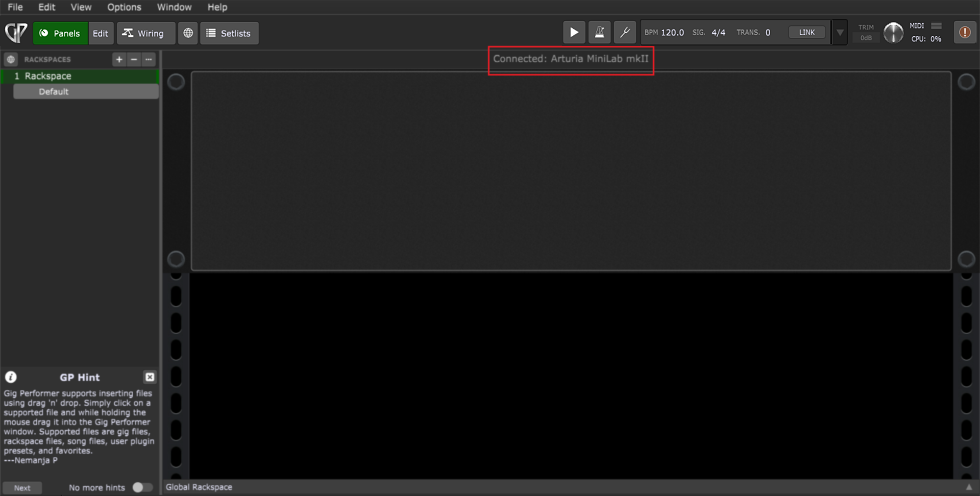
First, make sure that your keyboard is recognized:
If your keyboard is recognized, make sure that your integrated sound chip is selected as an active device in Audio Options.
Is my experience different from playing a hardware synth?
From a player’s perspective, the experience is not fundamentally different from playing a hardware synth. You’re still pressing keys, using pedals, changing sounds, etc.
The difference is that the sound engine now lives inside your computer instead of inside a physical keyboard.
Can I use my hardware keyboard, MIDI, and software instruments together?
Yes, you can build a hybrid rig. This video demonstrates many concepts that live performers use to build a hybrid rig:
Are MIDI and software setups difficult?
The biggest misconception about MIDI is that many musicians assume that moving to software means learning complicated computer concepts.
In reality, if you’ve ever controlled one keyboard from another, created keyboard splits, layered multiple sounds, you’ve already been working with MIDI. You may simply have never needed to think about it explicitly
Understanding a few basic concepts makes the entire world of VST instruments far less intimidating.
.
If you have any questions or want to share your feedback, please see this Community thread.
We use cookies to ensure that we give you the best experience on our website. If you continue to use this site we will assume that you are happy with it.