Thank you for your interest in Gig Performer Essentials.
Please enter your name and email address in the field below. Links for both Windows and macOS downloads will be sent to you.
By providing your email address, you will be subscribed to our newsletter from which you will be able to unsubscribe at any time. Make sure you use a valid e-mail address and if you don't receive our e-mail, please check your spam folder.
Dialog window
Gig Performer® 14-Day Free Trial
Thank you for your interest in Gig Performer.
Please enter your name and email address in the field below. Links for both Windows and macOS downloads will be sent to you.
By providing your email address, you will be subscribed to our newsletter from which you will be able to unsubscribe at any time. Make sure you use a valid e-mail address and if you don't receive our e-mail, please check your spam folder.
Supercharge Your Hardware: Build the Ultimate Hybrid Rig with Gig Performer
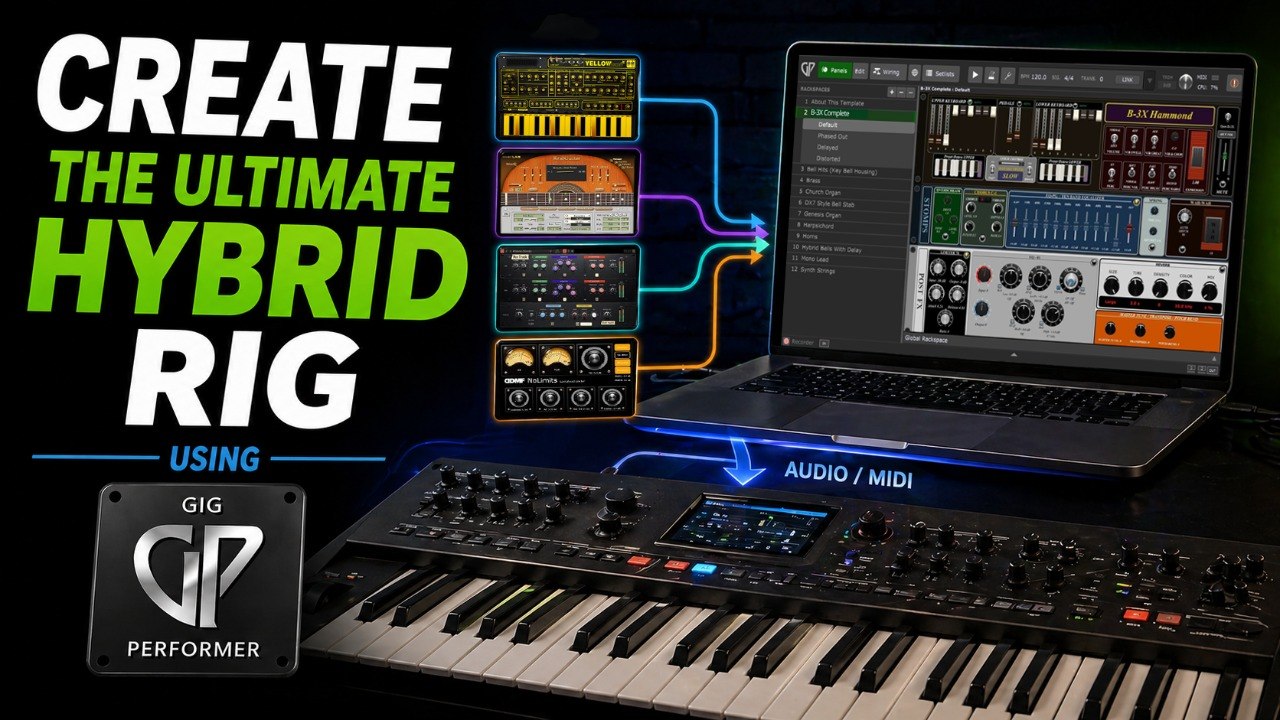
In this article, you will learn how to supercharge your hardware keyboard with Gig Performer to create the ultimate hybrid rig.
In an earlier blog article Why use a computer with Gig Performer rather than hardware we explored the advantages of choosing a computer-based setup for live performance. Still, we recognize that for many keyboard players, there’s a certain comfort in performing with hardware keyboards. It feels reliable and simple.
There are many performance upgrades available to hardware users. For example, maybe certain onboard sounds are starting to feel dated. Maybe your piano patches don’t quite cut through the mix. Maybe you wish you had more flexibility with splits, layers, or velocity zones. Or perhaps you’re looking for richer, studio-quality effects—or even a solid backup option.
Or perhaps your creative drive is pushing you to explore new territory? This is where a hybrid rig kicks in.
.
Hybrid rigs – the best of both worlds
.
Instead of focusing on 100% hardware or 100% software rigs, you can get the very best of the both worlds and build a hybrid rig.
By combining your hardware keyboard with Gig Performer and powerful VST plugins, you unlock an entirely new level of performance. You decide to what degree you want to keep software in place. This approach will dramatically expand your sound, flexibility, and control.
The result? More power, more expression—and a setup that truly stands out on stage. In the video below, Marty Wade walks through several examples of how keyboard players who use hardware synths can take their rig further by running Gig Performer alongside them.
By building a hybrid rig you can automate patch changes, add virtual instrument layers on top of your hardware sounds, and route your hardware signal through studio-quality effects. We’ll break down some key concepts from the video.
Building a hybrid rig pays off even for one studio-quality patch
.
Last year, I went to a jazz show where the keyboardist played on a hardware keyboard. He used the same piano patch the entire time. While it sounded like a piano, there are more expressive sounds available to him that could have made the performance as a whole significantly more captivating. I couldn’t help wondering how the performance might have felt if he’d been using brand new and high-quality VST sounds.
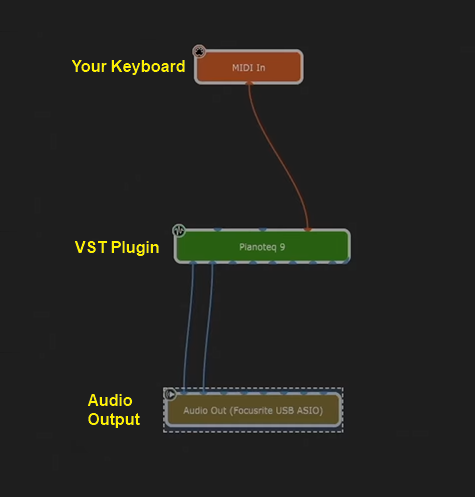
On the Gig Performer side, this setup is extremely simple:
The workflow is visual and musician-friendly. You first connect your keyboard block to the desired audio plugin (in this example, Pianoteq) using virtual cables. Afterward, connect that plugin block to the outputs of your audio interface. Done. As simple as that. As noted in this blog article, it took me 9 seconds (8s in the second attempt) to create this setup. So, quickly and easily you can have the premium sounds performance ready in no time.
Note: if you like Marty’s patch from the video, you can download it here, along with his Steinway preset for Pianoteq.
Therefore, even if you’re not feeling one specific sound on your hardware keyboard, it is worth trading it for a VST that fits your taste better. .
Unlimited combinations of splits and layers
.
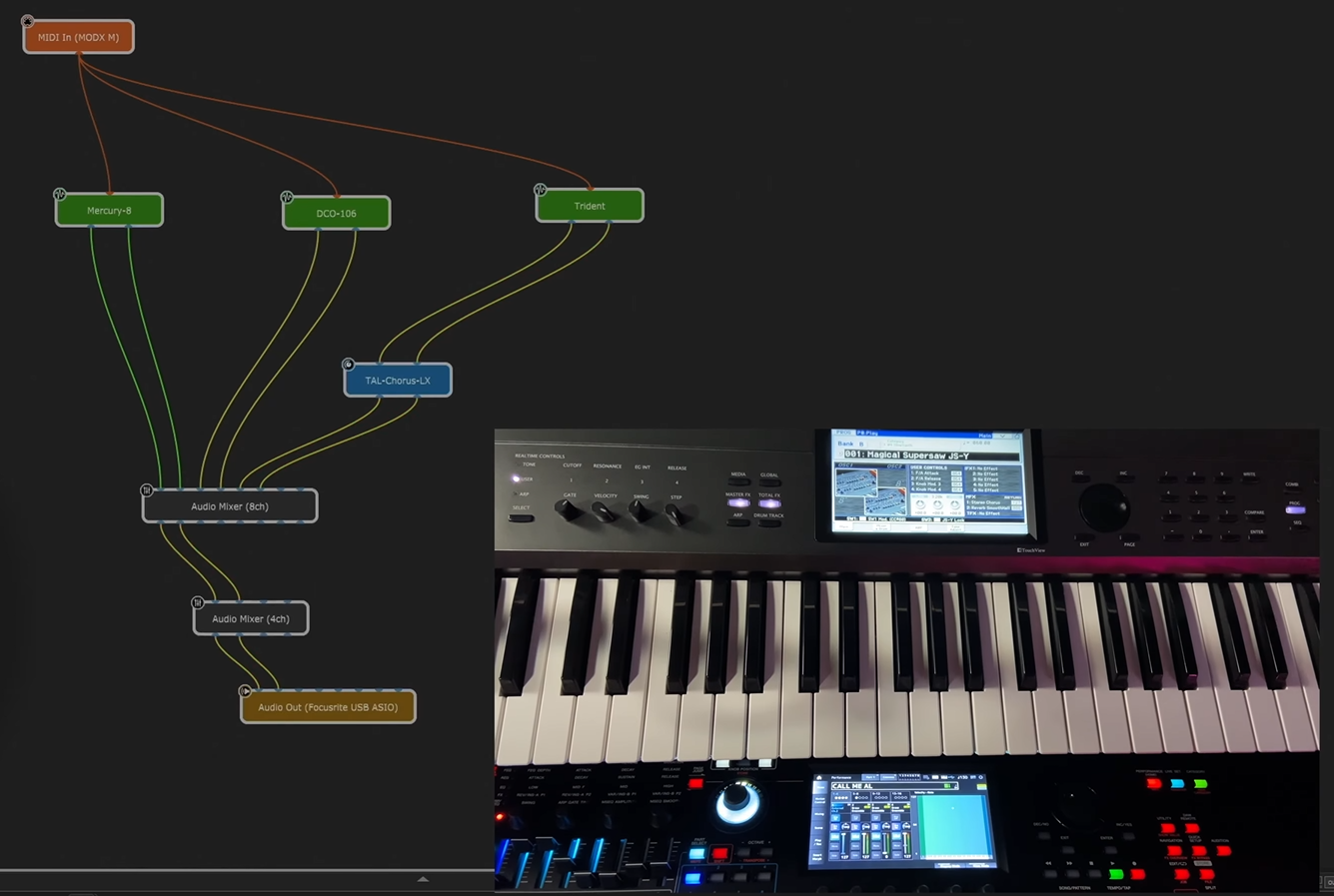
Gig Performer supports an unlimited number of splits and layers. It’s all down to your imagination, not to the limitations of your hardware keyboard. One example, that Marty demonstrated in the video, is a layered “hybrid” sound consisting of one hardware sound and three synths hosted inside Gig Performer.
Needless to say, you can layer and split your sounds any way you want. For example, you can just use your hardware sounds layered with the studio quality effects hosted in Gig Performer. Or you can make a keyboard split where one part of the keyboard plays a sound from your hardware and the other one plays a virtual instrument. Combine this with Gig Performer’s built-in plugins, such as Chord Maker, and you’ll find yourself exploring entirely new ways to perform your setlist.
. Suppose you have multiple hardware keyboards. Selecting a song in Gig Performer can automatically send patch changes to all your keyboards and external synth modules. This allows for a smooth performance where Gig Performer is the brain of your rig.
Beyond that, Gig Performer’s extensive feature set makes it easy to integrate with other software and hardware devices. Gig Performer Pro includes a variety of built-in MIDI tools, OSC support, an SDK for creating custom extensions, Ableton Link, and and a powerful internal programming language called GPScript, for advanced functionality when needed.
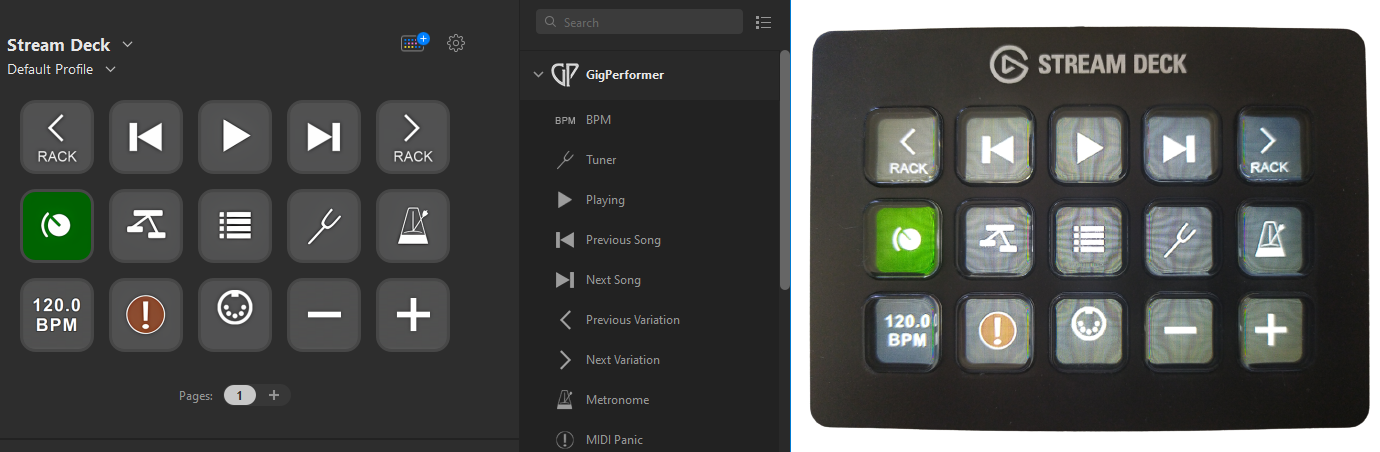
Further, you can easily work with apps such as TouchOSC, Lemur, BandHelper, or (our favorite sheet music app) MobileSheets. You can control lights, better integrate with your bandmates or your sound engineer.
Finally, you can automate many of your operations through timeline and song actions. Check out this video to learn more. .
Gig Performer makes your setup ironclad
.
You might be wondering: “How can Gig Performer make my setup more fail-safe? It’s hardware — isn’t that already reliable enough?”
Keep in mind that modern workstations are essentially mini computers. They have CPUs, RAM, storage, power supplies, and other components that can fail or crash just like any computer. So what happens if your workstation suddenly crashes during a gig? Is your backup plan to carry a second expensive workstation with you everywhere?
With Gig Performer, you have another option. If your keyboard starts malfunctioning, you can quickly switch to essential “bread-and-butter” sounds hosted inside Gig Performer and continue the show. And if your workstation fails completely, Gig Performer’s Rig Manager can help you adapt to virtually any backline gear available at the venue so you can keep performing.
In our community forums, you can find countless real-world testimonials about how Gig Performer has helped performers in live situations.
“Gig Performer saved the gig when my hardware audio failed. Everything was going well until the 3rd set when a ton of bugs descended on the stage area! About 2/3 of the way through the 3rd set, the audio output on my Nord quit working.
There were only two songs left in the set list which used Nord sounds, both requiring a piano, while the Arturia has a string or Wurlitzer sound played at the same time. I went into the Wiring view for both Gig Performer rackspaces and added a MIDI input for the Nord, mapping the Nord channel from 2 to 1, and wired it to a similar Pianoteq piano patch. I confirmed it was working and adjusted the volume and was good to go for both songs.
Had this happened a few months ago, before adding Gig Performer and the VST setup, I don’t think I could have resolved this as easily or at with just a 61 key keyboard to work with.”
— Darren Davis
Just as importantly, Gig Performer can increase confidence not only for you, but for your entire band. For example, you can even prepare backup guitar patches in case your guitarist’s rig fails during a performance.
Had a lifesaver experience last night. A power surge burned out our guitarist’s FX pedalboard. We had no guitarist, apparently… I said to the band, “Um, no problem”. I merged my 7/8 outputs to my 5/6 outputs so the guitar could output his magic through my audio interface via the 7/8 outputs and I quickly activated instrument input 1, plugged his guitar there and loaded an Overloud guitar rig. Five minutes to set up a rig to save the evening! He absolutely loved the sound we programmed in no time at all. Gig Performer is simply awesome!
— Miguel Pontin
.
Things in life are rarely black and white — there are always shades of gray. Adding Gig Performer to your hardware rig creates a true win-win situation: richer sounds, greater control, and improved reliability.
Making a hybrid rig with Gig Performer is the perfect choice for old-school hardware users looking to explore the world of VSTs. By dipping your toes into the software side of live performance, you can not only expand and enhance your hardware sounds, but also make smarter performance decisions and navigate your setlist more efficiently. On top of that, Gig Performer helps unlock the full potential of your hardware setup, removing limitations you may not have realized were there.
In this Backstage with Gig Performer episode you can learn how a modern keyboard player like Paul Gere switched from a hardware keyboard to using a hybrid rig. Paul plays in the band Mixtape Junkies and is also a moderator in the well-known Facebook group Keyboard Players in Cover Bands.
We use cookies to ensure that we give you the best experience on our website. If you continue to use this site we will assume that you are happy with it.